
Help CenterBlog Post Generator
Content Repurposing
Blog Post Generator
Convert any YouTube video into an SEO-optimized blog post with customizable tone, length, and optional AI-generated hero image.
The Blog Post Generator converts your YouTube video's transcript into a structured, SEO-optimized blog post. Choose your tone and length, and the AI produces a complete article with title, meta description, tags, and formatted body text.
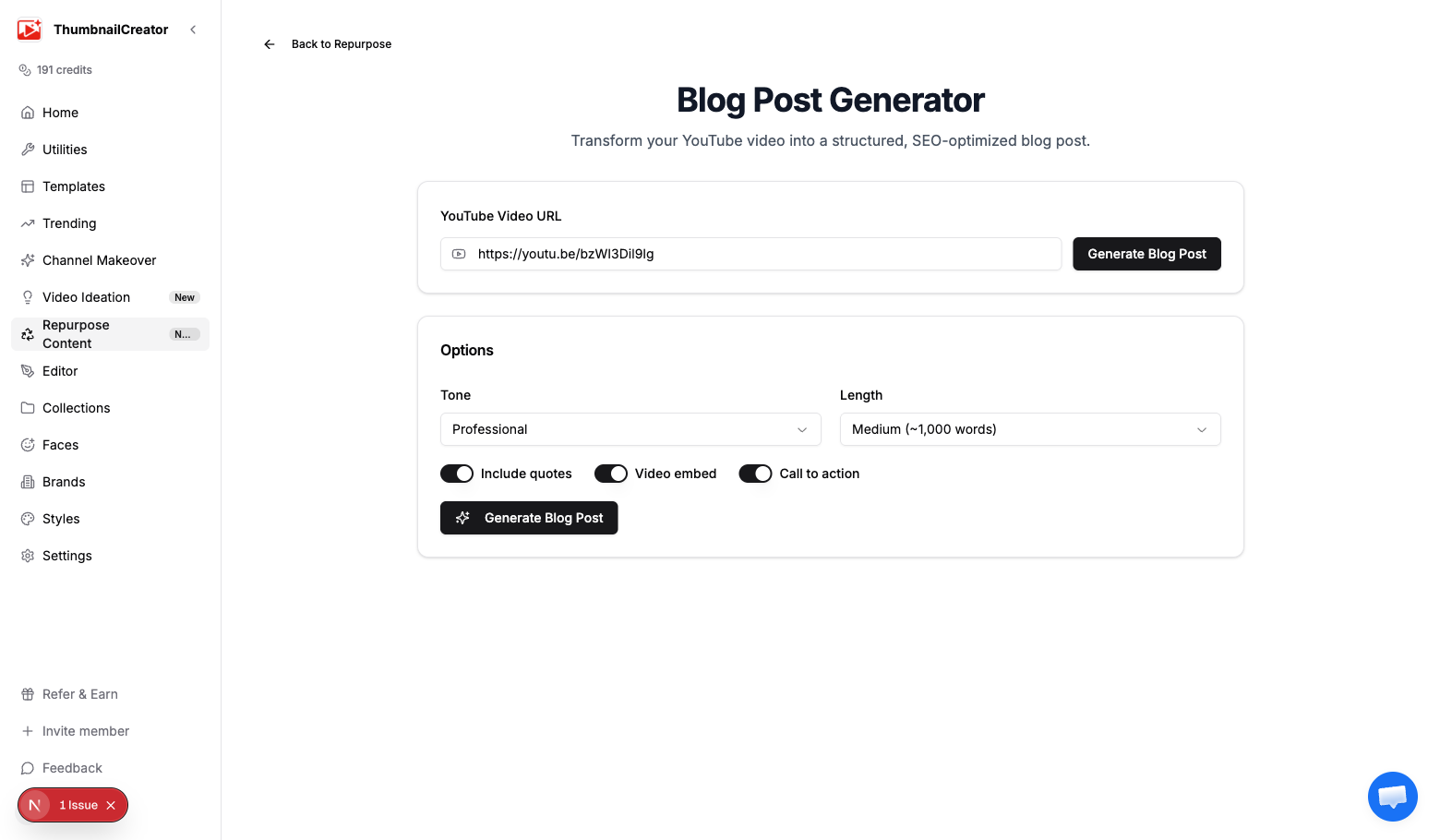
Generating a Blog Post
- Go to Repurpose in the sidebar and analyze a video, or navigate directly to the blog generator
- Paste your YouTube video URL if it isn't pre-filled
- Configure your options (see below)
- Click Generate Blog Post
- Wait a few seconds for the AI to process the transcript
Options
Tone
Choose how the blog post reads:
- Professional — Formal, authoritative writing suited for industry blogs and company sites
- Casual — Relaxed, conversational style that feels like talking to a friend
- Educational — Clear, structured teaching style with explanations and examples
- Conversational — Engaging and personable, balancing informality with substance
Length
Controls how detailed the blog post is:
- Short (~500 words) — Quick summary hitting the main points. Good for social blog posts or companion pieces.
- Medium (~1,000 words) — Balanced coverage of the video's content. Works for most use cases.
- Long (~2,000 words) — Comprehensive article covering everything in the video. Best for SEO and in-depth topics.
Toggles
- Include quotes — Pulls direct quotes from the video transcript and formats them as blockquotes in the blog post
- Video embed — Adds a YouTube embed code so readers can watch the original video inline
- Call to action — Appends a CTA section at the end (subscribe, visit channel, etc.)
Output
The generated blog post includes:
SEO metadata
- Title — Optimized for search engines and click-through
- Meta description — A concise summary for search result snippets
- Tags — Relevant keywords for categorization
Body content
The blog post body is formatted in Markdown with:
- Structured headings (H2, H3) breaking the content into scannable sections
- Blockquotes from the video (if enabled)
- A YouTube video embed (if enabled)
- A closing CTA (if enabled)
Viewing options
- Preview tab — See the rendered blog post as it would appear on a website
- Markdown tab — View and copy the raw Markdown source
Export
- Copy — Copy the full Markdown to your clipboard
- Download — Download as a
.mdfile
Hero Image Generation
After generating a blog post, you can create an AI-generated hero image to accompany it:
- In the blog post preview, find the Generate Hero Image section
- Choose a style:
- Photographic — Realistic photo-style image
- Illustration — Hand-drawn or digital illustration style
- Abstract — Abstract shapes and colors representing the topic
- Minimal — Clean, simple design with minimal elements
- Click Generate (costs 1 credit)
- The image is generated at 1200x630 — the standard size for blog hero images and social sharing
Tips
- Long + Educational is the best combination for SEO — longer posts rank better and the educational tone reads well in search results
- Include quotes to add authenticity — readers trust direct quotes from the video creator
- Enable the video embed to keep readers on your page longer and drive views back to YouTube
- Use the Markdown export to paste directly into WordPress, Ghost, Notion, or any Markdown-compatible CMS
- Generate the hero image in "Photographic" style for the most professional look, or "Illustration" for a creative feel
- Run the generator on your top 10 performing videos to quickly build a backlog of blog content
Related
- Repurpose Your Videos — Overview of all repurpose content types
- Email Newsletter Generator — Turn the same video into a newsletter
- Understanding Credits — How credits work for hero image generation