
Email Newsletter Generator
Create email newsletters from YouTube videos — choose a style and audience, get 3 subject lines, and export as HTML or plain text.
The Email Newsletter Generator turns your YouTube video into a complete newsletter ready to send. It produces subject lines, preview text, a structured body with key takeaways, a featured quote, and a call to action — all from the video's transcript.
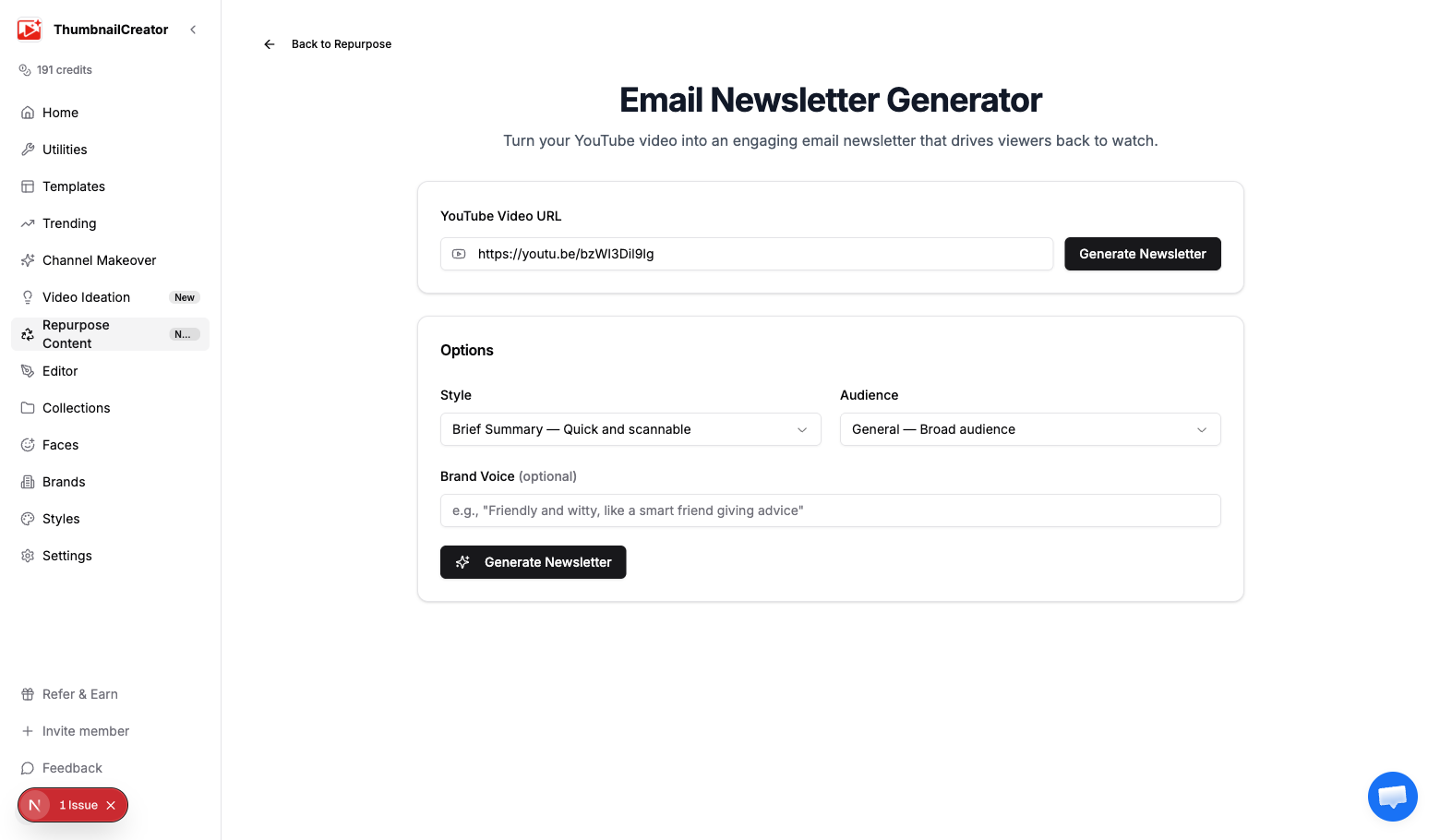
Generating a Newsletter
- Go to Repurpose in the sidebar and analyze a video, or navigate directly to the newsletter generator
- Paste your YouTube video URL if it isn't pre-filled
- Configure your options (see below)
- Click Generate Newsletter
- Wait a few seconds for the AI to process
Options
Style
Controls the newsletter's format and depth:
- Brief Summary — Quick and scannable. Highlights the key points in a short format. Best for audiences who want the gist without reading a long email.
- Deep Dive — Comprehensive breakdown of the video's content. Covers all major topics with detail. Best for engaged subscribers who want thorough analysis.
- Teaser — Piques curiosity without giving everything away. Designed to drive clicks back to the video. Best for driving YouTube views from your email list.
Audience
Adjusts the language and framing:
- General — Broad audience. Uses accessible language with no assumed expertise.
- Professional — Industry-focused. Uses appropriate terminology and a business-appropriate tone.
- Community — Speaks to an established audience who already knows you. More personal and casual.
Brand Voice (Optional)
Enter a short description of your writing voice to make the newsletter sound like you:
- "Friendly and witty, like a smart friend giving advice"
- "Technical but approachable, with occasional humor"
- "Direct and no-nonsense, focused on actionable takeaways"
Leave this blank to use a neutral, professional tone.
Output
The generated newsletter includes:
Subject lines
Three different subject line options, each taking a different angle:
- Click the one that fits your email best
- Subject lines are optimized for open rates
Preview text
The short text that appears next to the subject line in email clients.
Newsletter body
A structured email with:
- Greeting — Personalized opening
- Body — The main content, organized into clear sections
- Key takeaways — Bulleted summary of the most important points
- Featured quote — A standout quote from the video
- Call to action — Drives the reader to watch the video, subscribe, or take another action
- Sign-off — Professional closing
Viewing options
- Email Preview tab — Rendered HTML showing how the email will look in an inbox
- Plain Text tab — Text-only version for plain text email sends
Export
- Copy HTML — Copy the full HTML source for pasting into your email platform (Mailchimp, ConvertKit, Beehiiv, etc.)
- Copy Plain Text — Copy the plain text version
- Download HTML — Download as an
.htmlfile
Tips
- Use the Teaser style if your primary goal is driving YouTube views — it gives just enough to make readers click through
- Deep Dive works best for paid newsletters or community updates where subscribers expect detailed content
- Always customize the brand voice field — even a one-line description noticeably changes the output tone
- Test all 3 subject lines by A/B testing in your email platform
- Send the newsletter within 24 hours of publishing the video for maximum impact
- Pair with Social Media Posts to promote both the video and the newsletter simultaneously
Related
- Repurpose Your Videos — Overview of all repurpose content types
- Blog Post Generator — Turn the same video into a blog post
- Social Media Posts Generator — Generate social promotion posts