
Repurpose Your Videos
Turn one YouTube video into blog posts, newsletters, infographics, social media posts, and short clips — maximize every video's reach across platforms.
Repurpose takes any YouTube video and transforms it into multiple content formats. Paste a video URL, and the AI analyzes the transcript to generate blog posts, email newsletters, infographics, social media posts, and short clips — so one video feeds your entire content strategy.
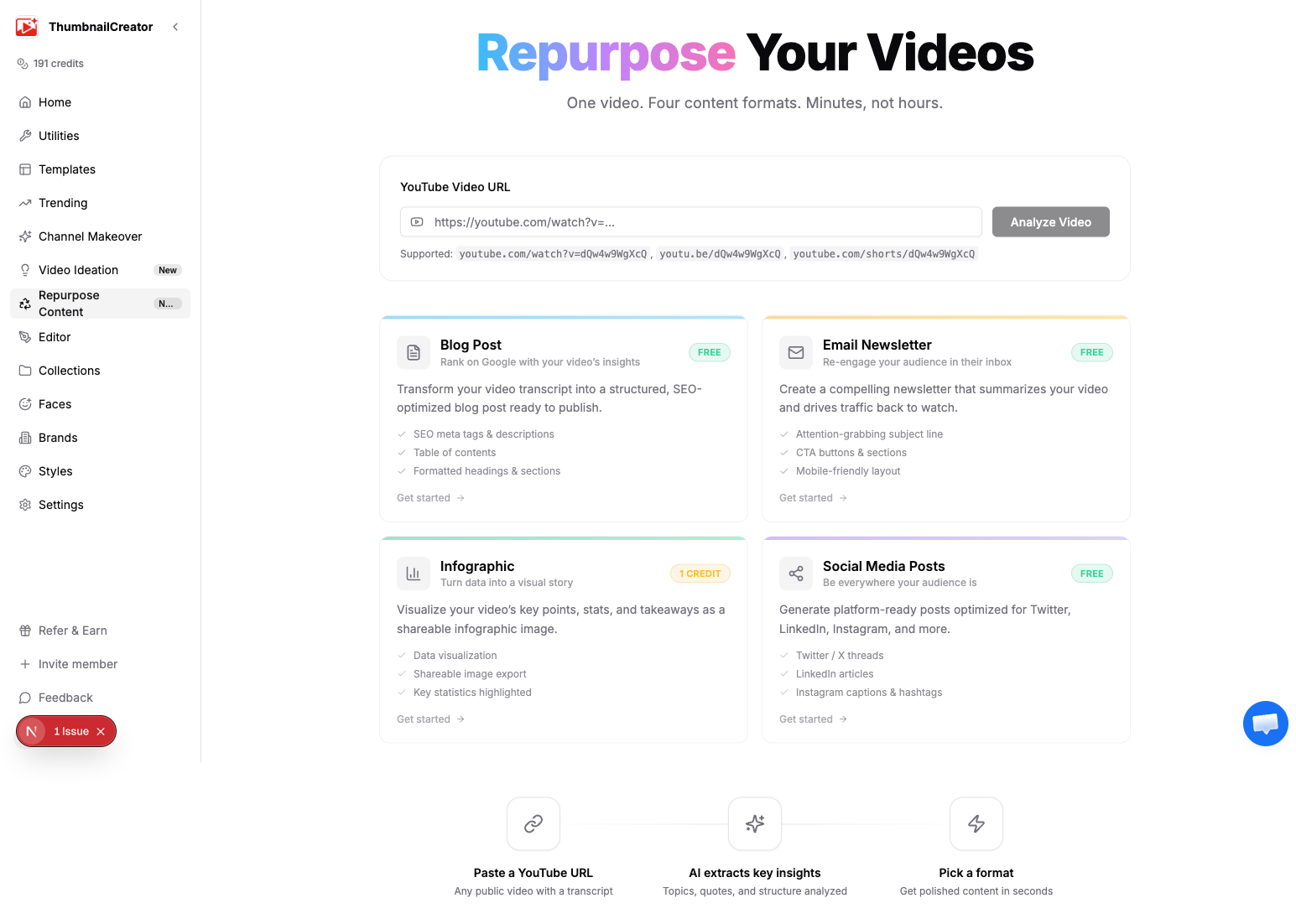
How It Works
- Go to Repurpose in the sidebar
- Paste a YouTube video URL
- Click Analyze Video — the AI extracts the transcript and identifies key topics, quotes, and themes
- Choose a content type to generate
After analysis, you'll see a summary of the video along with key topics. The video URL carries forward to whichever generator you choose, so you only need to paste it once.
Content Types
| Type | What you get | Cost |
|---|---|---|
| AI Clips | Ranked short-form clip suggestions and exported MP4s for Shorts, TikTok, Reels | 2 credits per clip |
| Blog Post | SEO-optimized article with title, meta description, and tags | Free |
| Email Newsletter | Complete newsletter with subject lines, body, and CTA | Free |
| Infographic | AI-generated visual summarizing key data points | 1 Credit |
| Social Media Posts | Platform-specific posts for Twitter, LinkedIn, Instagram, Facebook, and TikTok | Free |
Each content type has its own generator page with customization options. Click a card on the hub to go to that generator with your video URL pre-filled.
Workflow
The typical workflow looks like this:
- Paste and analyze — Enter your video URL on the Repurpose hub
- Choose a format — Click the content type you want
- Configure options — Set tone, length, platforms, or style depending on the format
- Generate — Click the generate button and wait a few seconds
- Preview and refine — Review the output, copy text, or download files
- Repeat — Go back to the hub and generate another format from the same video
You can generate all four content types from a single video — the AI uses the same transcript each time.
Detailed Guides
Each generator has its own help article with full details on options and output:
- Blog Post Generator — Tone, length, SEO metadata, and optional hero image
- Email Newsletter Generator — Style, audience, subject lines, and HTML export
- Infographic Generator — Data editor, sizes, color themes, and brand integration
- Social Media Posts Generator — Platform selection, tone, post count, and quote cards
- AI Clips and Shorts — Short-form clip selection, customization, exports, and API workflow
Tips
- Start with the blog post — it gives you the most comprehensive written version of your video content
- Generate a newsletter to drive email subscribers back to watch the video
- Use social posts across all your platforms to promote the video on launch day
- Export AI Clips for Shorts, TikTok, and Reels when the video has strong standalone moments
- Create an infographic for Pinterest, LinkedIn, or embedding in your blog post
- Repurpose your best-performing videos first — proven content translates well to other formats
- Combine with Video Ideation to plan content that's designed to repurpose well from the start