

AI Tools for Emotion-Based Thumbnail Design
Your YouTube thumbnail has just 50 milliseconds to grab attention. And in that split second, viewers react to emotion - not words. Thumbnails that evoke feelings through facial expressions, colors, and emotional triggers can increase click-through rates (CTR) by up to 20%. AI tools now make creating these emotion-driven designs faster and easier, helping creators boost engagement without needing advanced design skills.
Here’s a quick look at some of the best AI tools for crafting thumbnails that connect emotionally:
- ThumbnailCreator: Analyzes millions of thumbnails to suggest the best expressions, colors, and layouts. Features include a heatmap for viewer focus and quick customization tools.
- QuillBot AI Thumbnail Maker: Uses color psychology and curiosity-driven designs to create thumbnails that stand out. Great for beginners with a simple prompt-based system.
- WayinVideo: Focuses on emotional highlights from your video, generating thumbnails that capture key moments in seconds.
- Pixelbin: Offers tools to tweak facial expressions and adjust backgrounds for polished results, even on the free plan.
- MyShell ThumbMaker: Combines quick templates with detailed customization options for beginners and pros alike.
- TestMyThumbnails: Creates thumbnails and allows real-time testing to optimize designs before publishing.
- OpusClip: Uses GPT-4o to analyze video content and generate thumbnails inspired by top creators.
- Adobe Express: Powered by Adobe Firefly, it creates emotion-driven thumbnails with advanced customization options.
These tools save time and boost CTR by leveraging AI to optimize emotional appeal. Whether you're a seasoned creator or just starting out, these platforms can help you make thumbnails that grab attention and drive more clicks.
Create Stunning YouTube Thumbnails in SECONDS with AI (ThumbnailCreator.com)
sbb-itb-b59debf
1. ThumbnailCreator
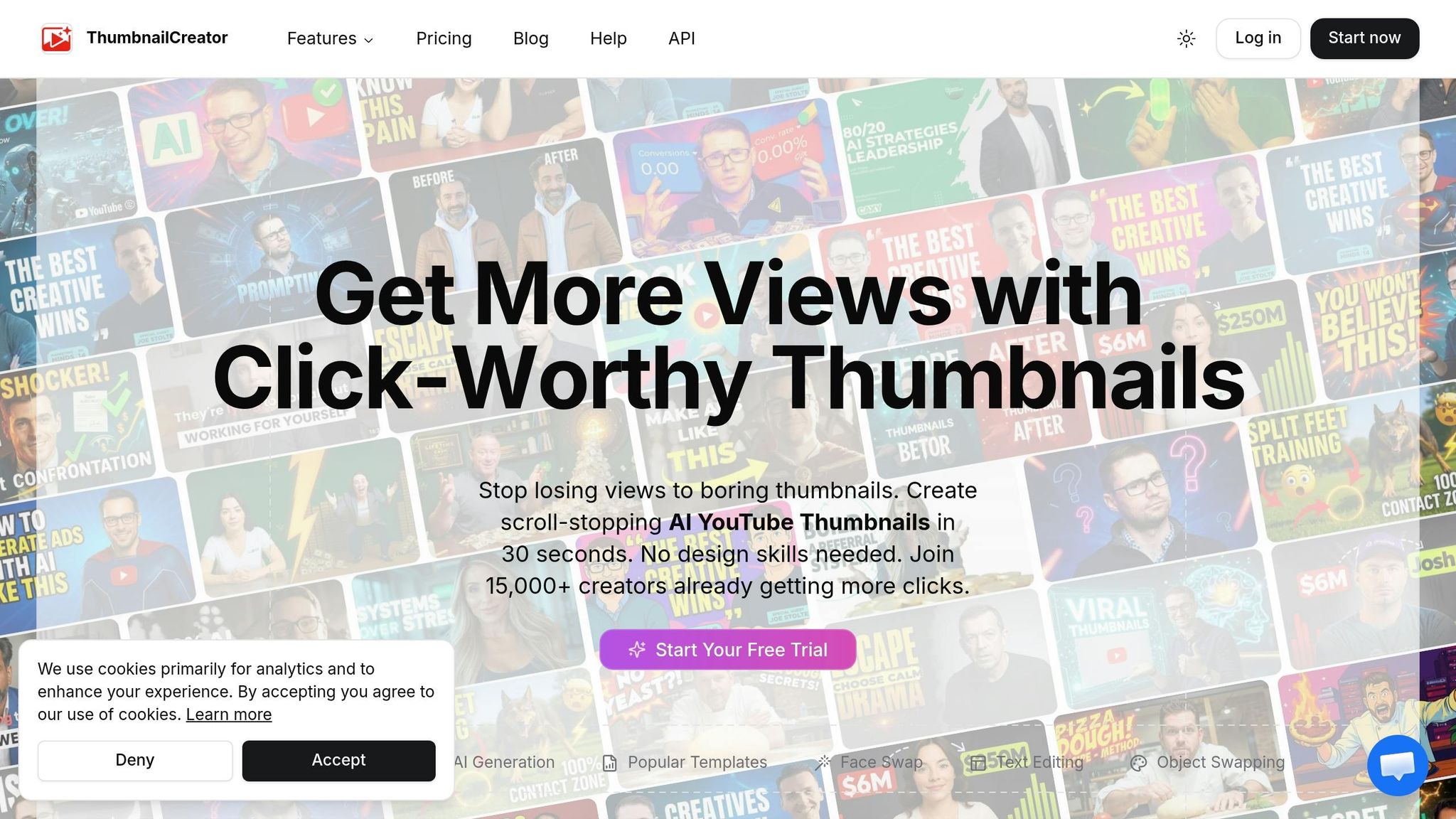
ThumbnailCreator is designed to help creators craft thumbnails that grab attention by tapping into emotional triggers.
AI-Driven Emotional Design Capabilities
Using AI trained on over 3 million successful thumbnails, ThumbnailCreator identifies the emotional cues that resonate with specific video niches. Features like Expression Control and Face Swap allow creators to generate authentic facial expressions with ease - just five photos are enough to train a custom AI model. This eliminates the need for multiple photo shoots and streamlines the creative process.
The built-in Thumbnail Analyzer evaluates designs on a 1–100 emotional impact scale and includes an Attention Heatmap to highlight where viewers’ eyes are naturally drawn. By relying on insights from millions of videos, creators can remove the guesswork from thumbnail design with data-driven optimization and focus on what works.
Customization Options for Emotional Elements
Creators can refine their thumbnails with simple, natural language commands like “make the expression more surprised” or “brighten the background colors.” The Color Enhancer automatically adjusts hues and contrast to emphasize emotional visuals, while Style Cloning mimics the aesthetic of successful thumbnails for brand consistency. The AI Optimize feature ensures every thumbnail is visually appealing and mobile-friendly, fine-tuning colors and composition with precision.
These tools strike a balance between creative freedom and efficiency, making them accessible even for those new to thumbnail design.
Ease of Use for Creators Without Design Skills
ThumbnailCreator’s user-friendly workflow allows designs to be completed in as little as 30 seconds, with most taking no more than 6 minutes. Simply paste a YouTube URL, let the tool generate multiple designs, tweak as needed, and download the final product. No design expertise is required.
"Super easy to use! I can now create effective thumbnails in seconds without any design skills." – James Wilson, Gaming Creator
With over 15,000 creators already on board and a 7-day free trial available, ThumbnailCreator is a time-saving solution that helps boost engagement.
Effectiveness in Increasing Click-Through Rates
By tailoring thumbnails to specific audiences, ThumbnailCreator can deliver a 73% higher click-through rate compared to DIY designs.
"The AI not only generates beautiful thumbnails, but it also understands what style works best for different types of videos." – Maria Reyes, YouTube Creator
"Now, my thumbnails are finished within a few mins and they look (and convert) better as well." – Dave S Anderson, YouTube Creator
2. QuillBot AI YouTube Thumbnail Maker
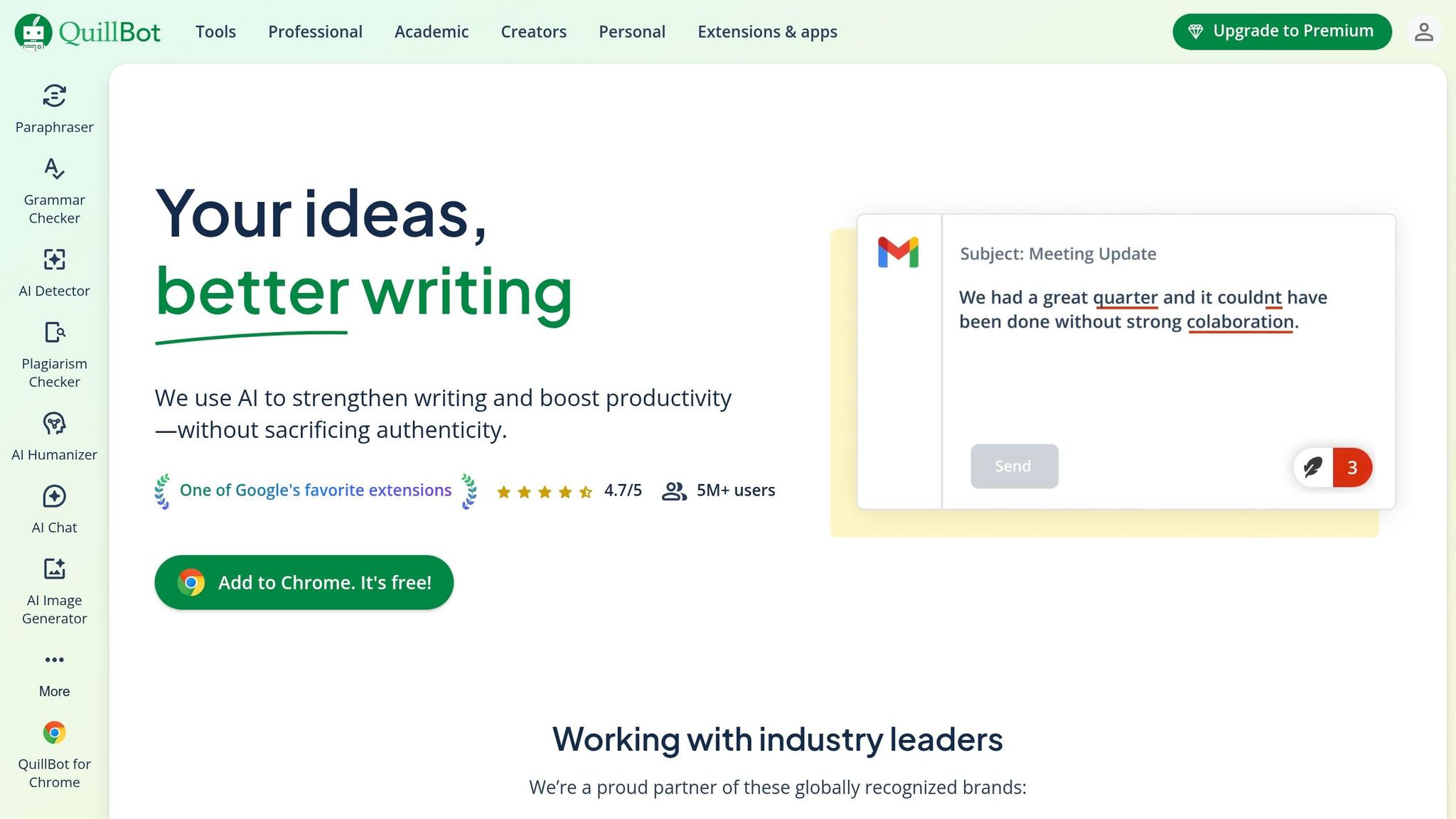
QuillBot AI YouTube Thumbnail Maker is a tool trusted by over 5 million users. With a simple, prompt-based system, it helps creators craft attention-grabbing thumbnails. The platform uses color psychology to suggest vibrant, high-contrast palettes - like golden sunsets against blue skies - that evoke specific emotions and attract clicks.
AI-Driven Emotional Design Features
This tool goes beyond aesthetics by focusing on emotional impact. It analyzes and highlights facial expressions such as joy, shock, or curiosity to connect with viewers on a deeper level. Design elements are automatically adjusted to stand out in crowded feeds. QuillBot also employs the curiosity gap technique, creating visuals that tease a story or pose a question, leaving just enough mystery to urge viewers to click. For added personalization, users can input the name of a well-known YouTube creator, and the AI will replicate their signature style, including layouts and color schemes.
Customization Options for Personal Touches
Creators can fine-tune their thumbnails by specifying prompts like "bright summer travel vlog" or "surprised expression". The tool also offers artistic styles, including cinematic, anime, fantasy, and 3D, to match different themes. For text, it recommends bold sans-serif fonts like Impact, Montserrat Extra Bold, or Bebas Neue, with concise wording (3 to 5 words) to ensure readability. A built-in image editor allows users to upload their own photos, making it easy to integrate specific facial expressions or personal branding into the design.
Designed for Beginners and Non-Designers
QuillBot's workflow is designed to be intuitive. Users simply enter details about their video's theme, mood, and imagery, and the tool generates multiple thumbnail options. Thumbnails are automatically sized at the ideal 1,280x720 pixel resolution (16:9) and can be downloaded as high-resolution PNG files. The service is free, with a Premium plan offering extra features. This simplicity, combined with its ability to optimize designs for engagement, makes it accessible to creators without design experience.
Proven Impact on Click-Through Rates
Thumbnails created with this tool consistently drive higher click-through rates (CTR). By combining high-contrast colors, expressive visuals, and curiosity-driven design, QuillBot ensures thumbnails are both eye-catching and engaging. Its effectiveness is backed by user feedback: over 9,170 Trustpilot reviews give it high marks, and its Chrome extension holds a 4.7/5 rating, reflecting its reliability and ease of use.
3. WayinVideo YouTube Thumbnail Maker
AI-Driven Emotional Design Capabilities
WayinVideo takes a deep dive into your video to pinpoint emotional highlights that grab attention. It identifies those impactful moments - like when someone’s eyes widen in shock or the action hits its peak - that instantly convey a story and drive clicks. By analyzing your footage, the AI zeroes in on these pivotal reactions to create thumbnails that connect emotionally with viewers.
Just upload your video or even a reference thumbnail, and the AI will detect emotional peaks. It then uses your footage to recreate visually compelling designs that reflect those moments. Without needing detailed prompts, the tool generates thumbnails that align with the emotional tone of your video, making it an intuitive and seamless process.
Customization Options for Emotional Elements
WayinVideo offers a range of smart tools for tailoring your thumbnails. For example, you can upload a selfie, and the AI will remove the background and adjust lighting to match the mood of your video. This ensures your thumbnails maintain a cohesive, professional look - no need for a photoshoot or advanced editing skills. Plus, it keeps key elements like faces and text in "safe zones", so they aren’t blocked by YouTube’s UI elements like timestamps.
For those who love testing different approaches, the platform generates multiple variations of a thumbnail from the same video. Each version emphasizes a unique emotional tone or composition, making it easy to A/B test and find what resonates best with your audience. All thumbnails are perfectly sized at 1,280 x 720 pixels and can be exported in various aspect ratios, including formats for YouTube Shorts (9:16), Instagram (1:1), and Facebook (4:5), all with one click. This versatility ensures your thumbnails are ready for any platform.
Ease of Use for Creators Without Design Skills
WayinVideo simplifies the process to the point where even beginners can create professional-looking thumbnails in seconds. In just 10 seconds, the AI generates several polished thumbnail options. There’s no need to manually search through your video or wrestle with complex editing software - the AI does all the heavy lifting, selecting the best frames and turning them into eye-catching designs.
When you sign up, you’ll get 200 free credits - no credit card required. After that, the paid plan is budget-friendly at around $4.99 for 1,500 credits, which includes watermark-free 4K exports. This quick and efficient workflow allows creators to focus on crafting emotionally engaging content without getting bogged down in technical details.
"WayinVideo is not a random frame grabber. It is an AI video thumbnail generator that deeply understands your videos to surface the moments with real click pull, like key turning points, high tension reactions, and clear faces."
Effectiveness in Increasing Click-Through Rates
WayinVideo has been shown to boost click-through rates by as much as 3x. By focusing on emotionally charged moments and optimizing contrast for smaller preview sizes, the platform ensures your thumbnails stand out in crowded feeds. Once generated, you can download all variations and test them directly in YouTube Studio to discover which emotional hook works best for your audience.
4. Pixelbin AI YouTube Thumbnail Generator
AI-Driven Emotional Design Capabilities
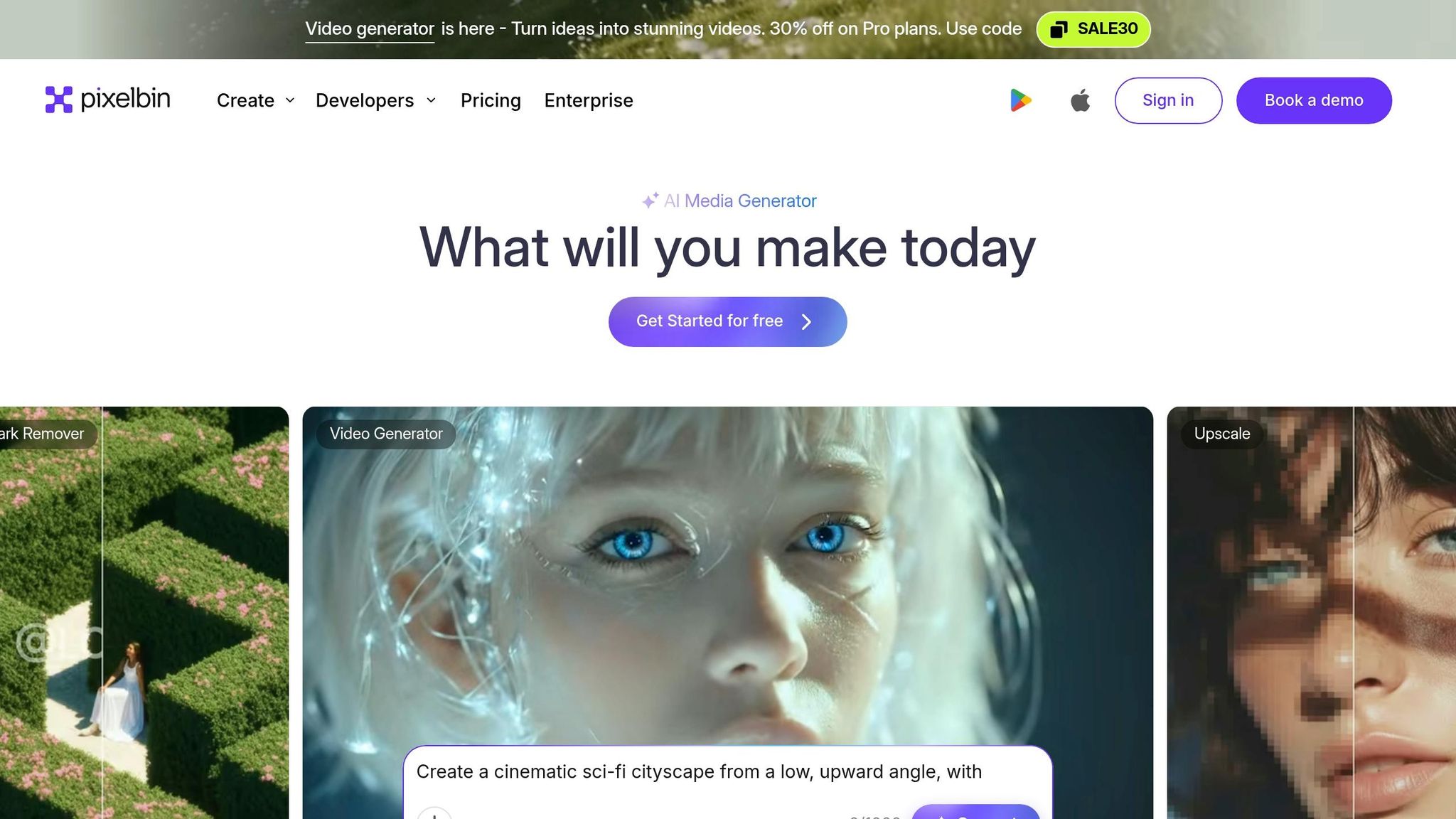
Pixelbin's "Change Facial Expression" feature offers a quick way to tweak emotions in your thumbnails. Whether you need a smile, surprise, sadness, or anger, The tool can instantly modify facial expressions with a single click. By analyzing your video title and its context - be it a motivational talk, a vlog, or a tutorial - the AI identifies faces, objects, and background elements in your image. This contextual understanding allows the tool to recommend layouts, fonts, and color schemes based on trends seen in high-performing thumbnails. You can also steer the design by providing simple text prompts like "dramatic close-up with bold white text" or "a thumbnail for a video about baking bread." The AI then handles the rest, adjusting colors, contrast, and styles to make your subject stand out. This helps creators avoid common thumbnail mistakes that often lower engagement.
Customization Options for Emotional Elements
Pixelbin offers plenty of creative flexibility. You can choose from a range of color palettes (like Cold, Neon, Pastel, Vibrant, Warm), camera angles (Portrait, Close-up, Aerial), and visual styles, ranging from Photography (Natural, Editorial) to Illustration (Cartoon, Pixel Art). If you have a specific idea in mind, you can upload reference images or describe your vision, and the AI will fine-tune lighting, background, and overall composition automatically. Files are processed securely, and you can download high-definition results without watermarks - even on the free plan.
Ease of Use for Creators Without Design Skills
Pixelbin is entirely browser-based, making it accessible without the need for additional software. It supports popular image formats like JPG, JPEG, PNG, and WEBP, with a file size limit of 10 MB. New users get 10 free credits upon signing up, which are enough to create up to three thumbnails each month at no cost.
"Pixelbin's YouTube thumbnail maker feels like a shortcut for creators who want good-looking thumbnails without learning design tools." – Pooja Mishra, Content Writer, Pixelbin
This combination of advanced AI and ease of use highlights the importance of emotion-driven thumbnail design, paving the way for even more sophisticated tools.
5. MyShell ThumbMaker
MyShell ThumbMaker makes thumbnail creation simple and engaging by focusing on designs that resonate emotionally with viewers.
AI-Driven Emotional Design Capabilities
This tool uses AI to transform ideas into visually compelling thumbnails in seconds. For example, the Chat-to-Click Engine can take a phrase like "mindfulness for coders" and generate a calming, minimalist thumbnail in just 8 seconds. Its AI Emotion/Expression Changer lets users tweak facial expressions or turn photos into reaction-driven thumbnails with easy text prompts. For abstract topics, the Chat Brainstorm feature creates metaphorical visuals based on creative input. Additionally, the Real-Time CTR AI analyzes top-performing thumbnails in your niche, applying proven design elements like color schemes and layouts to maximize appeal.
Customization Options for Emotional Elements
MyShell ThumbMaker caters to both beginners and experienced creators with two modes: Template Mode for quick, pre-designed options and Freestyle Mode for more detailed, text-driven customization. The 1-Click Brand Sync ensures your thumbnails align with your brand identity, while the Spin Variations tool generates up to 10 alternate layouts in under two minutes. For best results, using a neutral, front-facing photo gives the AI a clean starting point. These features make it easy to create polished designs without much effort.
Ease of Use for Creators Without Design Skills
Creating a thumbnail with ThumbMaker takes just 30 seconds. Michael_LeadWell, a LinkedIn Top Voice, shared his experience:
"At 58, I thought Canva was rocket science. ThumbMaker's chat understood 'corporate leadership but approachable'... My post went viral with 12K likes".
The tool offers a free plan with basic features and limited usage. Paid Pro and Team plans unlock higher quotas, advanced editing tools, support for all aspect ratios, watermark-free exports, and bulk creation options. It has received glowing reviews, with a 4.5/5 rating from 89 users on the MyShell platform and a perfect 5.0/5 from over 2,000 creators on its dedicated site.
Effectiveness in Increasing Click-Through Rates (CTR)
ThumbMaker has proven its ability to boost CTR. Lvl99_ClutchKing, a gaming creator with 350K subscribers, shared:
"ThumbMaker's '🔥Template Mode' slapped on glowing gun effects and neon text in 2 clicks. CTR jumped from 4% to 9% overnight".
GrowthGuru, a performance marketing agency, reported a 22% rise in conversion rates after testing AI-generated split-screen designs. DeepDiveDr., an educational content creator, commented:
"Typed the title into ThumbMaker's chat, and it generated a crumbling marble brain with clockwork gears - clicked like crazy".
For reaction thumbnails, slightly exaggerated prompts can yield the best results.
6. TestMyThumbnails AI Thumbnail Maker
TestMyThumbnails combines AI-powered thumbnail creation with real-time testing, offering creators a practical way to refine their designs before publishing. With over 50,000 YouTubers already using the platform, it’s become a go-to tool for optimizing video thumbnails.
AI-Driven Emotional Design Capabilities
This tool simplifies thumbnail creation by generating designs in about 10 seconds. All you need to do is describe your video’s tone in a single sentence or paste its YouTube URL, and the AI gets to work. Features like the AI Face Swapper enhance emotional appeal by replacing faces, while the Thumbnail Rater evaluates visibility. The Thumbnail Previewer takes it a step further by showing how your design will look across different devices.
Customization Options for Emotional Elements
The "Edit Thumbnails with AI" tool allows for fine-tuning elements like facial expressions and colors using simple natural language inputs. You can also preview your thumbnail in both Dark and Light modes to ensure text readability and color schemes are effective. This testing environment helps creators tweak every detail - expressions, colors, and text placement - before hitting publish.
Ideal for Creators Without Design Skills
For creators who aren’t design experts, TestMyThumbnails saves significant time - up to 7 hours per week compared to manual thumbnail creation. The platform offers a free version with basic features and daily limits, while the Pro version unlocks advanced tools like an A/B Tester and Rater. With just a single-sentence prompt, you can produce thumbnails that are ready to perform in seconds, eliminating the need for time-consuming research and manual edits.
7. OpusClip AI YouTube Thumbnail Maker
OpusClip, introduced on May 7, 2025, is the first YouTube thumbnail maker powered by OpenAI's GPT-4o. This cutting-edge tool analyzes your video's genre and content to create designs inspired by the visual styles of high-performing thumbnails from top creators worldwide. It simplifies the process by delivering precise text rendering and capturing key emotional expressions in just one step.
AI-Driven Emotional Design Capabilities
With OpusClip, creating emotionally engaging thumbnails is as easy as pasting a YouTube link or uploading a video file. GPT-4o evaluates your content to identify emotional hooks that will resonate most with your audience. You can even upload specific images, such as a face or subject, to ensure the AI incorporates the desired likeness or expression. As Rebecca Xu, Head of Product Marketing at OpusClip, explains:
"Our thumbnail generator considers the genre of your video content and other contextual details, drawing from winning thumbnails created by the world's top video creators."
This advanced emotional analysis enables highly tailored customization options.
Customization Options for Emotional Elements
OpusClip gives creators control over emotional design elements through its Brand Kit. This feature allows users to preset brand colors, fonts, and logos while also offering manual adjustments for text placement, size, and styling. Options like font strokes, shadows, and keyword highlighting ensure your thumbnails are both visually appealing and easy to read[33,35].
Ease of Use for Creators
OpusClip is designed to streamline the thumbnail creation process, making it accessible even for those without design experience. By simply providing a video link or file, users can generate polished thumbnails in just minutes. Rebecca Xu highlights this convenience:
"Producing eye-catching thumbnails has always been a significant challenge that can bottleneck the content creation process. Today, all of that changes."
Additionally, the tool is included in the "Free Forever Plan", allowing creators to access AI-generated thumbnails without any cost.
Boosting Click-Through Rates
By leveraging proven emotional design techniques, OpusClip enhances your content's visual appeal. The tool has the potential to significantly increase click-through rates - for instance, boosting them from 4% to 9% - which can lead to three to five times more views. Its ability to quickly generate and test multiple thumbnail variations makes it an invaluable resource for refining your design strategy.
8. Adobe Express YouTube Thumbnail Maker
Adobe Express, powered by Adobe Firefly's generative AI, offers a seamless way to create emotion-driven YouTube thumbnails. With visuals designed at 1,280×720 px, this tool transforms simple text prompts into engaging thumbnails, capturing everything from "the joy of a victory" to the "subtleties of romance" through its advanced AI design features.
AI-Powered Emotional Design Features
The Firefly text-to-image generator brings mood-based descriptions to life. For example, typing "shocked person in a vibrant tech lab" generates a fitting thumbnail in seconds. Additionally, the Generative Text Effects feature allows users to apply textures or styles to text, creating bold, eye-catching typography that resonates emotionally. These tools provide a strong foundation for further customization.
Tailored Customization Options
For those looking to refine their designs, Adobe Express includes an AI Assistant (beta). This tool not only suggests styles and colors but also executes specific edits through simple text instructions, such as changing a shirt color to red for added emphasis. Adobe Ambassador Andrew Kan likens the AI Assistant to having a personal design mentor:
"Think of AI Assistant as a design mentor sitting next to you while you create YouTube thumbnails. Stuck on something? You can ask how to do it, and it helps".
The platform also features a Remove Background tool, enabling creators to isolate subjects - like expressive facial reactions - for sharper, more compelling thumbnails.
Accessible for Non-Designers
Adobe Express is designed with ease of use in mind, offering templates and one-click edits that make thumbnail creation accessible to everyone, regardless of design experience. As Kan explains:
"This is not about replacing design skills. This is about making YouTube Thumbnail creation more accessible to people who don't have design training".
The AI Assistant not only simplifies the process but also educates users on design principles as they work. Abs Ahlijah, Marketing & Content Coordinator at Soul Session, highlights its benefits:
"Adobe Express helps me to create fast, high quality content. A wealth of features that boost my creativity!".
Boosting Click-Through Rates
To ensure thumbnails are effective across devices, Adobe Express includes a mobile-optimized resize tool. This ensures thumbnails remain clear and engaging on smaller screens, which is key to improving click-through rates. For best results, creators are encouraged to use high-contrast color combinations, such as bright yellow on dark backgrounds or white text with bold black outlines. The platform also supports rapid A/B testing of style variations to refine designs further.
Adobe Express offers a free plan with essential tools and templates, while its premium plan includes advanced features like Brand Kits and early access to the AI Assistant beta. A 30-day free trial is typically available for premium features.
Comparison Table
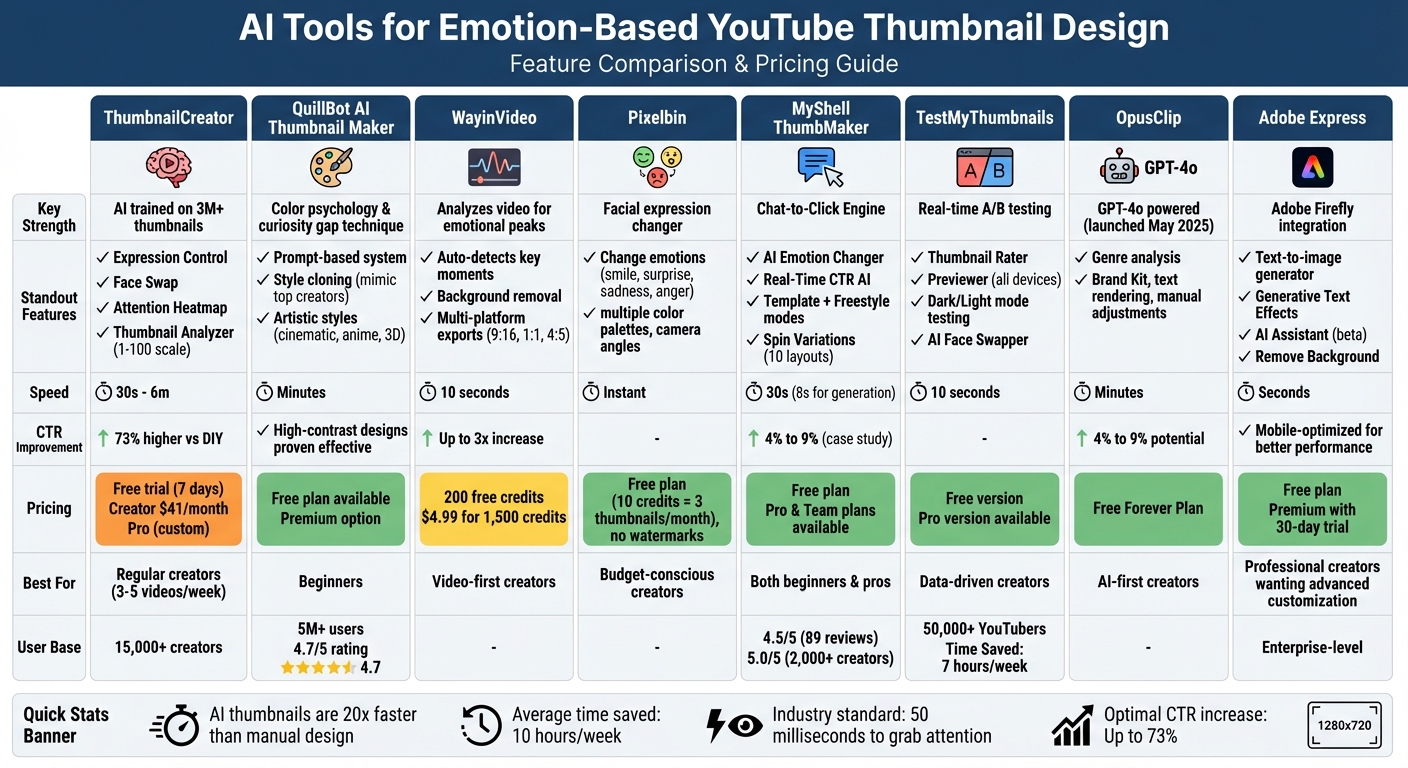
AI YouTube Thumbnail Tools Comparison: Features, Pricing & Best Use Cases
Here’s a breakdown of ThumbnailCreator's plans to help you pick the right one for emotion-based thumbnail creation:
| Plan Name | Price (USD) | Key Features | Limitations |
|---|---|---|---|
| Free Trial | $0 (7 days) | Access to core features, Expression Morphing, Face Training, Style Cloning, AI generation | Limited to 7 days; watermarked exports |
| Creator | $41/month | Expression Morphing, Face Training, Style Cloning (1,200 credits/year), Thumbnail Analyzer, Attention Heatmap, Color Enhancer, AI Optimize | AI results may require multiple attempts |
| Pro | Custom pricing | Includes all Creator features, priority support, higher credits, team collaboration tools | Pricing requires direct contact |
ThumbnailCreator’s AI is built on a dataset of over 3 million high-performing thumbnails to help boost click-through rates authentically. The Creator plan at $41/month is an excellent choice for those publishing 3–5 videos weekly, offering tools to maintain consistent personal branding and control over facial expressions. This table simplifies the decision-making process, helping you find the plan that fits your creative goals.
Conclusion
AI tools have completely transformed the way YouTube creators design thumbnails. Tasks that once took 2–3 hours of manual effort can now be completed in about 30 seconds, giving creators more time to focus on producing quality content. These tools are approximately 20 times faster than traditional methods.
But it’s not just about speed. AI-generated thumbnails also deliver results. With a 73% higher click-through rate compared to DIY designs, these tools use insights from millions of successful thumbnails to determine the best colors, layouts, and emotional triggers to grab viewers' attention. What once required years of design expertise or costly professionals is now accessible to anyone.
If you're looking to improve your channel's performance, ThumbnailCreator offers features like face-aware generation, style cloning, and A/B testing to help your thumbnails stand out. These tools can be the difference between being ignored and catching a viewer's eye.
Whether you're uploading a few videos a week or managing multiple channels, AI-driven tools provide professional-quality designs without the steep learning curve. Try ThumbnailCreator’s 7-day free trial to create thumbnails that drive clicks and boost engagement. The numbers don’t lie: creators using AI tools save over 10 hours a week while seeing noticeable improvements in their click-through rates.
FAQs
Which emotions work best for my channel’s thumbnails?
Thumbnails that showcase expressive faces with strong emotions - such as surprise, happiness, anger, or curiosity - tend to grab attention and work well. The emotional clarity in these visuals can make a big difference in boosting click-through rates, as viewers are instinctively drawn to content that feels engaging and relatable. To take it a step further, combine these emotions with bold text and bright, contrasting colors. This strategy is particularly effective for capturing attention on smaller screens, like mobile devices.
How do I A/B test thumbnails without hurting performance?
To run an effective A/B test for thumbnails, take advantage of YouTube's 'Test & Compare' feature. This tool allows you to present different thumbnail variations to viewers over a period of 7–14 days. For accurate results, tweak only one element at a time - such as the color scheme, text, or imagery. Make sure the test runs long enough to collect thousands of impressions for reliable data.
When analyzing results, don't just focus on click-through rates (CTR). Metrics like watch time and engagement are just as important. For instance, a thumbnail with a slightly lower CTR but higher viewer retention can still lead to better overall video performance.
How can I keep a consistent thumbnail style across videos?
To keep your thumbnails looking consistent, AI tools like ThumbnailCreator can be a game-changer. With features like style cloning and theme-based customization, these tools let you replicate your favorite designs effortlessly. They help maintain uniformity in elements like colors, fonts, and layouts. Plus, they can analyze your video content to create thumbnails that match your branding, saving you time while ensuring your content has a polished, cohesive appearance.