

Real-Time AI Tools for YouTube Teams
YouTube teams are saving time and boosting results with real-time AI tools. These platforms simplify collaboration, automate repetitive tasks, and optimize thumbnails and video editing processes. The result? More time for content creation and better performance metrics.
Key Takeaways:
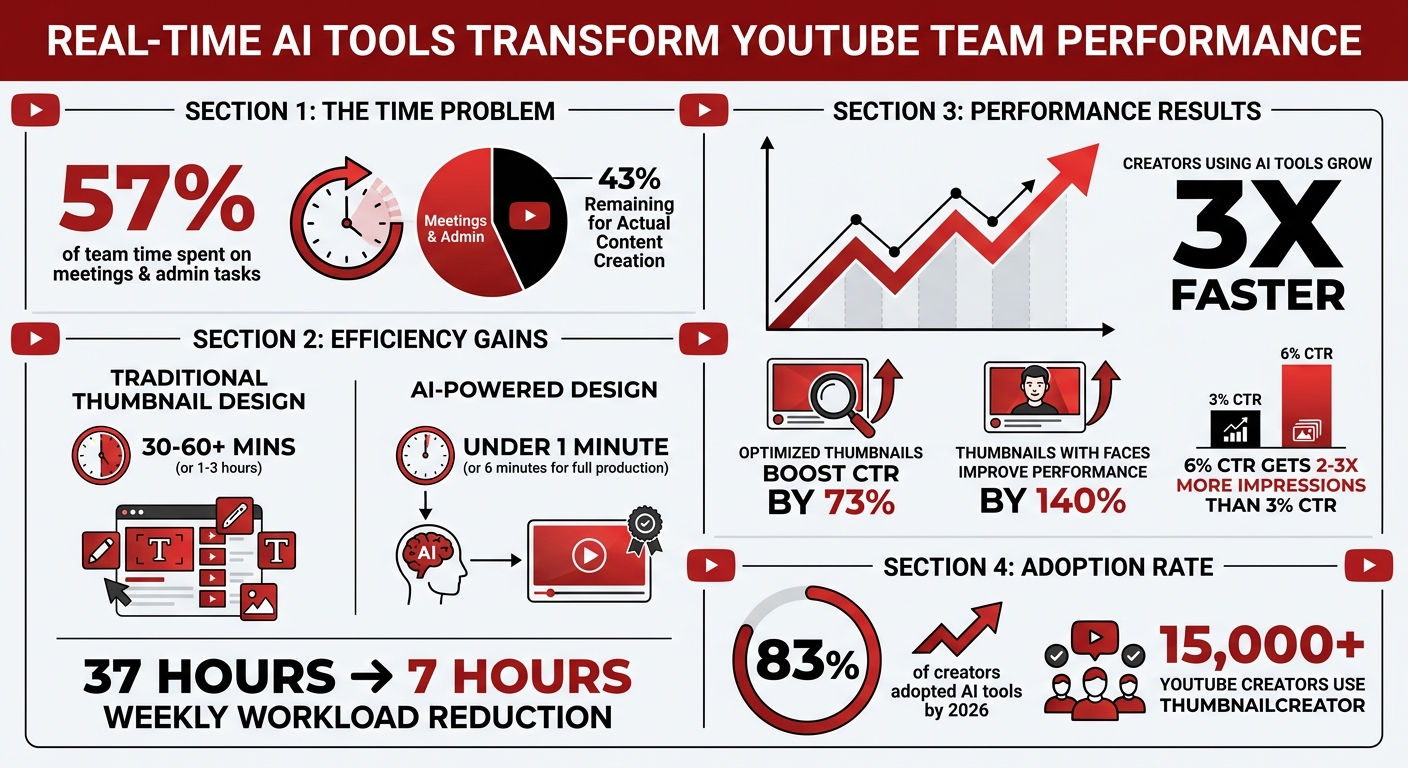
- 57% of team time is spent on meetings and admin tasks, leaving only 43% for actual creation.
- AI tools like ThumbnailCreator cut thumbnail design time from hours to minutes.
- Features like automated approvals, face swapping, and A/B testing vs gut feeling improves efficiency and click-through rates. Understanding CTR benchmarks helps teams set realistic performance goals.
- Creators using AI tools grow their channels 3x faster than those who don’t.
AI Tools Impact on YouTube Team Productivity and Growth Statistics
What Real-Time AI Tools Offer YouTube Teams
With the growing demand for efficiency, real-time AI tools are transforming how YouTube teams handle the creative process. These tools bring everything - design assets, feedback, and communication - into a single workspace. This streamlined approach cuts down on delays and frees up more time for actual creative work. Let’s explore how these tools enhance collaboration, design, and editing.
Real-Time Collaboration and Task Automation
AI-powered platforms now offer centralized workspaces where editors, designers, and managers can collaborate using shared brand kits, face models, and style guides. This setup eliminates the hassle of repeatedly uploading assets and ensures everyone is working with the most up-to-date resources, like logos and style guides. For instance, tools such as ThumbnailCreator allow teams to set design rules that the AI automatically applies, ensuring every thumbnail aligns with the channel's branding.
Role-based access controls simplify team management by letting admins handle settings while other members focus on creating content. Real-time commenting and approval systems replace endless email chains, making it easier for teams to coordinate across different projects and time zones.
AI Thumbnail Design Tools
Designing thumbnails used to be a time-intensive task, often taking 30–60 minutes with traditional software. AI tools now generate polished, professional options in less than a minute. These tools use niche-specific analysis to identify trends in high-performing thumbnails, such as ideal color schemes, face placement, and text contrast.
ThumbnailCreator, trusted by over 15,000 YouTube creators, is a standout option for team workflows. It offers features like AI-driven thumbnail generation, pre-made templates, face swapping, text editing, and object swapping. These capabilities help teams produce attention-grabbing thumbnails without needing advanced design skills, addressing the time and coordination challenges many creators face. Teams can also save brand kits with fonts, colors, and logos, avoiding the need to reupload these assets repeatedly. Additionally, the platform supports A/B testing and audience polling, enabling creators to make informed decisions before publishing.
Research shows that thumbnails featuring faces can improve performance by 140%, while keeping text to just 1–3 words tends to be most effective.
Cass Wolfe, a tech YouTuber with 240,000 subscribers, shared how she used to redo thumbnails multiple times in Canva to achieve the desired look. With AI tailored to her niche, she now gets a usable version in under a minute.
AI-Powered Video Editing
AI tools are also revolutionizing video editing by automating tasks like cuts, transitions, captions, B-roll, and voiceovers. For example, TubeAI’s Hugo has analyzed over 212 million YouTube videos to determine what boosts clicks and viewer retention. These tools can even transform long-form videos into viral Shorts by identifying the most engaging moments.
sbb-itb-b59debf
How ThumbnailCreator Helps YouTube Teams Work Together
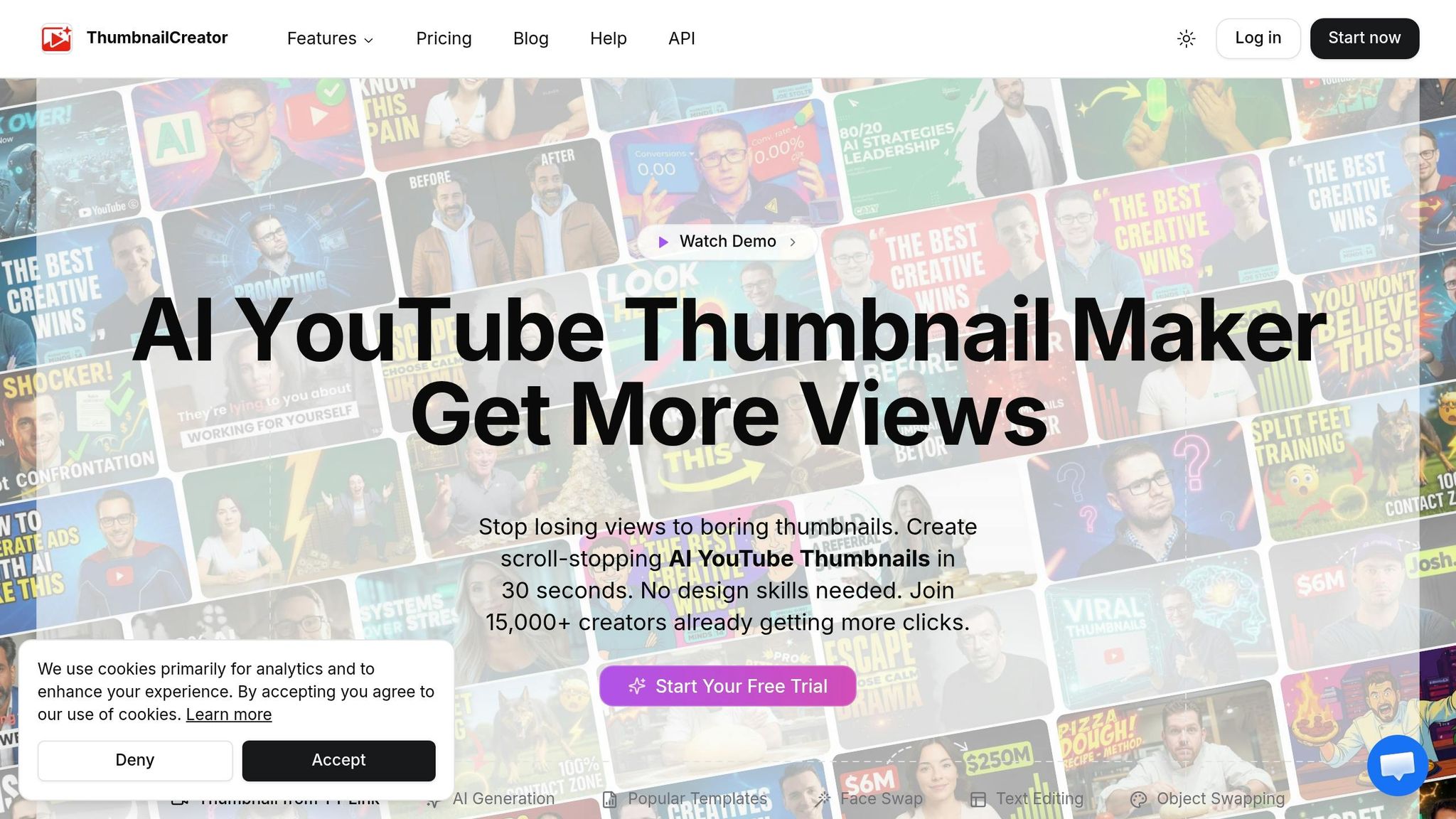
ThumbnailCreator simplifies collaboration by centralizing essential tools like brand kits, face models, and design rules. This eliminates the hassle of exchanging files and ensures everyone works with the same assets. For example, a video editor can create thumbnails using a creator’s specific face model and brand kit - even while filming is still in progress. This ties into the platform's real-time collaboration features, streamlining the workflow and keeping designs consistent.
AI Thumbnail Customization
With AI-powered tools, ThumbnailCreator makes designing thumbnails faster and more efficient. Features like Face Swap and layer-based editing allow users to adjust specific parts of a thumbnail - whether it’s the foreground, background, text, or objects - without affecting the rest. The Channel Makeover tool takes it a step further by analyzing a channel’s existing titles and content, then generating updated design options for multiple videos simultaneously. Once finalized, these designs can be applied directly to YouTube through the platform’s dashboard, blending seamlessly into the team’s workflow and ensuring a consistent look across the channel.
Ready-Made Templates for Faster Production
To speed up production, ThumbnailCreator offers a library of ready-made templates tailored to specific niches. These templates allow teams to quickly remix designs with just one click, incorporating the creator’s face and brand colors. The templates are backed by insights from over 3 million high-performing thumbnails, helping teams create effective designs without starting from scratch. Organization-wide design rules ensure every thumbnail aligns with the channel’s branding, making it easier for viewers to recognize the content over time.
Dave S Anderson, a YouTube creator, shared his experience: "ThumbnailCreator has saved me so much time. I used to spend 1-3 hours per thumbnail... Now, my thumbnails are finished within a few mins and they look (and convert) better as well".
Better Click-Through Rates with Optimized Thumbnails
Optimized thumbnails created with ThumbnailCreator have shown to boost click-through rates by 73% compared to DIY designs. The platform uses data-driven insights to highlight successful visual patterns, while role-based access ensures optimization settings remain intact. For teams managing multiple channels or clients, thumbnails are organized into separate "Collections", each maintaining its own branding. Marketing agencies, in particular, benefit from assigning specific access levels to team members, enabling faster production without compromising quality or consistency.
Real-World Examples of AI Tools for YouTube Teams
Creating Thumbnails Together in Real Time
Centralized workspaces are changing the way YouTube teams collaborate, making it easier to work on content in real time. Picture this: while a creator films new videos, an editor works alongside them, designing thumbnails on the spot. Using tools like ThumbnailCreator, editors can access the creator’s face models and brand assets stored in a shared workspace. This setup eliminates the messy back-and-forth often caused by scattered feedback across multiple platforms.
Take marketing agencies, for instance. They often juggle multiple client accounts, assigning specific team members to manage individual brands. One agency used the Channel Makeover feature to handle a full channel rebrand for a client. In one session, they redesigned thumbnails for dozens of videos in a tutorial series, ensuring a consistent look across the board. Even better, they skipped the tedious process of downloading and re-uploading files, thanks to the streamlined integration.
This kind of smooth collaboration lays the groundwork for even faster processes through automation.
Automating Routine Tasks for Faster Delivery
AI tools don’t just make collaboration easier - they also speed up repetitive tasks. Features like face swapping, background removal, and style application are handled automatically, cutting production time for a thumbnail from around 2 hours to just 6 minutes. Teams managing older content can also use bulk generation tools to update thumbnails for their top 50 videos, giving them a fresh, high-click-through-rate (CTR) look without having to redesign each one manually.
YouTube Ads Expert Aleric Heck highlights the AI Optimize feature, which enhances thumbnail quality by analyzing historical data.
With these tools, teams can shift their focus to strategic planning, knowing that every thumbnail will maintain consistent branding.
The Future of AI Tools for YouTube Teams
AI-powered workflows have become the norm. By 2026, a staggering 83% of creators have adopted AI tools into their processes. And the results speak for themselves - YouTube creators using AI tools are growing their channels three times faster than those who don’t. For teams managing multiple channels or juggling demanding schedules, the efficiency gains are game-changing.
Looking ahead, future tools will take real-time collaboration to the next level. Centralized workspaces will not only maintain consistent design across teams but will also introduce enhanced role-based controls to simplify workflows even further. Already, over 15,000 YouTube creators rely on tools like ThumbnailCreator for these capabilities.
One exciting development is the ability to edit thumbnails in layered formats, allowing creators to make independent, real-time adjustments. This means faster iterations and quicker responses to performance data. Why does this matter? A video with a 6% click-through rate (CTR) can get surfaced to 2-3 times more impressions than one with a 3% CTR. Rapid iteration keeps creators competitive in this high-stakes environment.
AI is also moving toward all-in-one platforms that combine thumbnail creation, scheduling, and publishing. Teams adopting these systems early are slashing their weekly workload from around 37 hours to under 7 hours. This shift frees up valuable time for strategic planning instead of repetitive tasks.
"Running a YouTube channel in 2026 without AI tools is like editing video on a dial-up connection - technically possible, but painfully slow." - Soloa AI
With tools like ThumbnailCreator leading the charge, AI is leveling the playing field. Small teams can now compete with larger operations, and established channels can stay ahead of the curve in an ever-evolving landscape.
FAQs
How do real-time AI tools reduce approval bottlenecks?
Real-time AI tools are changing the game when it comes to speeding up approval processes. By offering features like instant editing, smooth collaboration, and quicker content creation, these tools help streamline workflows. Creators can tweak and finalize their work on the spot, cutting down the time spent waiting for manual approvals. The result? Teams can work more efficiently and deliver polished, high-quality content faster than ever.
What should a team standardize in a brand kit for faster thumbnails?
To make thumbnail creation faster, teams can focus on standardizing essential components within their brand kit. These include design rules, shared styles, brand assets, face models, and curated collections. By aligning on these elements, teams can maintain a consistent look and feel while working more efficiently.
How can teams use A/B testing to improve thumbnail CTR?
Teams can use A/B testing to compare various thumbnail designs and see how they perform based on metrics like click-through rates (CTR). By studying audience behavior and gathering feedback, they can pinpoint the thumbnail that connects most effectively with viewers. This approach can lead to increased engagement and better visibility.