

Best Free Templates for Holiday Thumbnails
Your holiday video thumbnail can make or break your content’s visibility during the busy season. Luckily, there are free tools with pre-made templates that save time and effort. This list highlights six platforms offering holiday-themed YouTube thumbnail templates optimized for 16:9 dimensions, ensuring your designs look great and meet platform requirements. Each tool offers unique features like drag-and-drop editors, AI tools, and seasonal themes for Christmas, Thanksgiving, New Year’s, and more. Here’s a quick rundown:
- ThumbnailCreator: Over 270 templates, no signup required, AI tools included.
- PosterMyWall: Massive library of 691,010+ templates, includes animated options.
- Canva: 20,110+ templates, free tools, and access to a large stock photo library.
- Kapwing: 1,600+ Christmas templates, user-friendly editor, and unique tools like Freeze Frame.
- Magnific: High-definition holiday backgrounds for thumbnails and other designs.
- Adobe Express: Templates for cards and thumbnails with options for animated effects.
These tools make designing festive thumbnails easy, even without design skills. Focus on holiday themes, your branding, and seasonal color palettes to stand out. Below is a detailed comparison to help you choose the right tool for your needs.
Quick Comparison
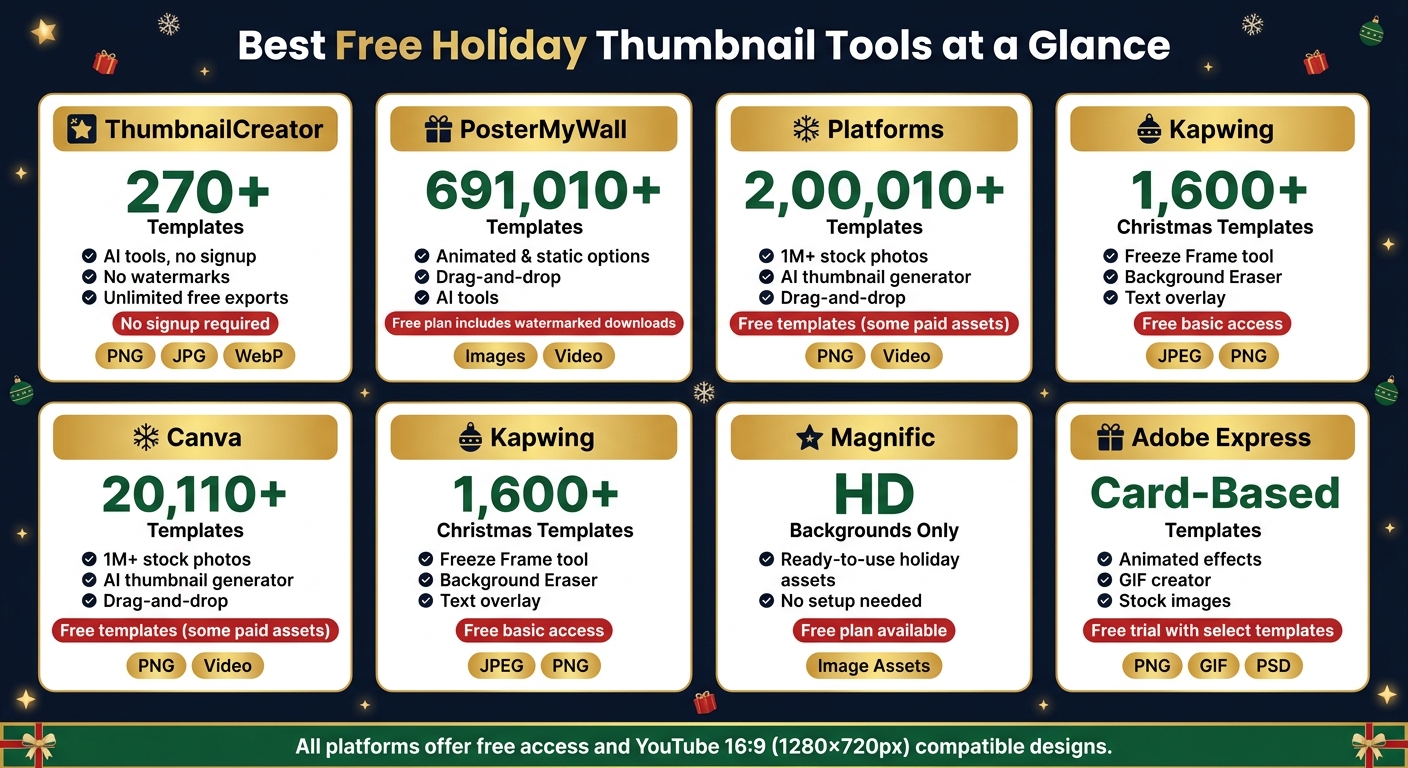
Best Free Holiday Thumbnail Tools: Side-by-Side Comparison
| Platform | Template Count | Key Features | Free Plan Details | Export Formats |
|---|---|---|---|---|
| ThumbnailCreator | 270+ | AI tools, no signup, no watermarks | Unlimited free exports | PNG, JPG, WebP |
| PosterMyWall | 691,010+ | Animated/static options, drag-and-drop | Free plan includes watermarked downloads | Images, Video |
| Canva | 20,110+ | Drag-and-drop editor, stock photos | Free templates, some paid assets | PNG, Video |
| Kapwing | 1,600+ (Christmas) | Freeze Frame, Background Eraser | Free access to basic tools | JPEG, PNG |
| Magnific | Backgrounds only | HD assets, ready-to-use images | Free assets, limited library | Image Assets |
| Adobe Express | Card-based templates | Animated effects, stock images | Free trial includes select templates | PNG, GIF, PSD |
Check out our guide to free thumbnail tools and Start creating thumbnails today to grab attention during the holiday rush!
sbb-itb-b59debf
How to Use This List
Every source in this list was selected based on four key factors: free availability, holiday themes, compatibility with YouTube requirements, and ease of customization. While some platforms provide completely free libraries, others include free tiers alongside premium options. This guide simplifies your decision-making, so you can focus on creating content rather than getting bogged down in design details.
For YouTube compatibility, templates must meet the platform's technical specifications. Here's a quick breakdown:
| Feature | YouTube Requirement |
|---|---|
| Dimensions | 1,280 x 720 pixels (minimum width: 640px) |
| Aspect Ratio | 16:9 |
| File Formats | JPG, GIF, BMP, or PNG |
| File Size Limit | Under 2MB |
Always select the "YouTube Thumbnail" category to ensure the 16:9 aspect ratio is optimized for the platform. This way, your thumbnails will be ready to go for your next holiday-themed video.
Holiday themes were another priority when curating this list. The platforms included here offer templates for a variety of seasonal events - Christmas, Hanukkah, Thanksgiving, Halloween, and New Year's - so you're not restricted to a single occasion. Plus, these tools are designed for everyone, even if you're not a design expert. All the platforms feature drag-and-drop editors, which make it easy to transform a blank canvas into a polished thumbnail in just minutes.
These templates aren't just for vlogs, either. They work perfectly for cooking tutorials, gift guides, unboxings, and DIY decoration videos.
1. ThumbnailCreator Holiday Templates
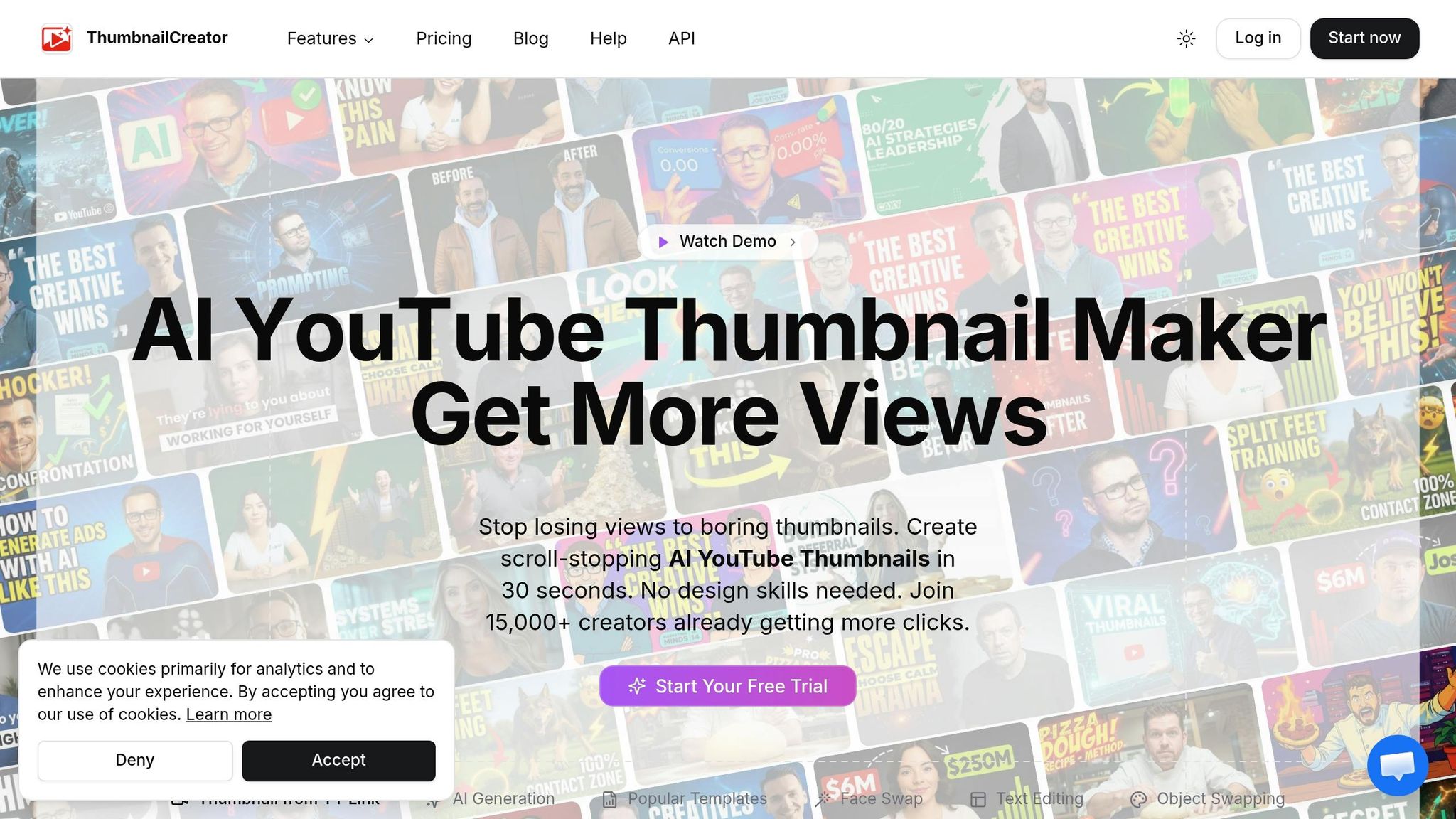
ThumbnailCreator makes designing holiday-themed thumbnails a breeze with its 270+ templates. These templates cater to popular YouTube content categories like Holiday Vlog, Celebration, and Party Time, ensuring you have options for all kinds of seasonal videos.
The best part? The free plan is completely hassle-free - no signup, no watermarks, and no hidden charges. You can create and export as many thumbnails as you want without restrictions.
Customization is straightforward. If you're just starting out, our YouTube thumbnail beginners guide can help you master the basics. You can tweak text, change colors, upload your own images (supports PNG, JPG, GIF, or WebP up to 10MB), and resize elements to fit your theme. If you’re looking for designs outside the pre-made options - like visuals tailored for Hanukkah or Kwanzaa - the editor allows you to start from scratch. Plus, built-in AI tools help speed things up by generating thumbnail titles and removing image backgrounds, making the entire process even smoother.
All thumbnails export at 1,280×720 pixels (16:9), which aligns perfectly with YouTube’s recommended dimensions. The editor works entirely within your browser, so your data stays private - no uploads or storage involved.
| Feature | Detail |
|---|---|
| Template Count | 270+ (includes Holiday/Vlog options) |
| Export Formats | PNG, JPG, WebP |
| Resolution | 1,280×720 px (16:9) |
| Account Required | No |
| Watermarks | None |
| Max Upload Size | 10MB per image |
2. PosterMyWall Holiday Thumbnail Templates
PosterMyWall offers a massive collection of over 691,010 free holiday-themed templates, all of which can be filtered specifically for YouTube Thumbnails. This ensures your designs are perfectly sized for the platform right from the start. The library includes templates for popular U.S. holidays like Christmas, Halloween, Thanksgiving, Easter, and the 4th of July, along with options for international celebrations.
The platform features AI-powered editing tools and a variety of design styles, including 3D, Vintage, Neon, Minimalist, and Geometric. These tools make it easy to create professional-quality thumbnails, whether you're using the free plan or exploring premium features.
With the free plan, you gain access to the standard template library and essential editing tools. Premium features, such as advanced design options, are available in paid plans. To get started, use the "Browse by size" filter to select the YouTube Thumbnail category, ensuring the correct 16:9 layout. You can also choose between static images and animated formats to suit your needs.
| Feature | Details |
|---|---|
| Template Library | Over 691,010 free holiday templates |
| Holiday Occasions | Christmas, Halloween, Thanksgiving, Easter, 4th of July, and more |
| AI Tools | Background Remover, Image Generator, Writer, Logo Generator |
| Design Styles | 3D, Vintage, Neon, Minimalist, Geometric, Joyful, and more |
| Format Types | Static images and animated/video formats |
| Free Plan | Available; includes basic editing tools |
3. Canva Holiday and Christmas YouTube Thumbnail Templates
Canva has a special section in its template library just for Christmas-themed YouTube thumbnails, offering over 20,110 templates. Beyond Christmas, you can use the search feature to find templates for other holidays like Thanksgiving or New Year's. This setup makes it simple to locate the perfect style by exploring different YouTube thumbnail styles before jumping into customization.
With Canva's free plan, you gain access to thousands of pre-made templates and an easy-to-use drag-and-drop editor. The editor includes a variety of fonts, colors, and formatting tools. You can upload your own images or choose from a massive stock library of over 1,000,000 photos. On top of that, the AI thumbnail generator helps you get started quickly. All designs are pre-sized to fit YouTube's 16:9 format, ensuring your thumbnails look polished and professional.
For those looking to maintain consistent branding across holidays, Canva’s Brand Kit feature stores your channel’s fonts, colors, and palettes. However, this feature is only available with a paid plan.
| Feature | Details |
|---|---|
| Template Library | 20,110+ YouTube thumbnail templates |
| Holiday Options | Christmas (dedicated); others via search |
| Stock Images | Access to 1,000,000+ searchable photos |
| AI Tools | AI-powered thumbnail generator |
| Free Plan | Includes templates and editing tools |
| Paid Feature | Brand Kit for consistent branding |
| Format | Optimized for YouTube's 16:9 ratio |
4. Kapwing Free Christmas YouTube Thumbnail Templates
Kapwing offers an impressive collection of over 1,600 Christmas-themed YouTube thumbnail templates. Beyond Christmas, their library covers a variety of holidays, such as Hanukkah, New Year's, Thanksgiving, Halloween, Diwali, Easter, and the 4th of July. These templates are thoughtfully organized by content type, including gift guides, DIY videos, holiday vlogs, and unboxings, making it easier to find a design that fits your video’s theme.
Kapwing’s drag-and-drop editor is user-friendly, even for beginners. You can easily tweak fonts, colors, and images to create a thumbnail that matches your style. One standout feature is the Freeze Frame tool, which lets you grab a still image from your video to use as a thumbnail base. Additional tools like the background eraser and text overlay options help create bold, high-contrast designs that grab attention in crowded feeds.
"With Kapwing's intuitive drag-and-drop editor, you can customize fonts, colors, images, and text to match your brand while maintaining that festive Christmas aesthetic." - Kapwing
All thumbnails are pre-sized at 1,280 x 720 pixels (16:9 ratio), and you can export your designs as JPEG files.
| Feature | Details |
|---|---|
| Christmas Templates | 1,600+ dedicated designs |
| Other Holidays | Hanukkah, New Year's, Thanksgiving, Halloween, Diwali, Easter, 4th of July |
| Dimensions | 1,280 x 720 px (16:9) |
| Export Formats | JPEG, Image |
| Key Tools | Freeze Frame, Background Eraser, Text Overlay |
| Free Plan | No subscription required for basic features |
5. Magnific Christmas Thumbnail Assets

Magnific offers a collection of high-definition Christmas and holiday-themed backgrounds, perfect for creating eye-catching YouTube thumbnails. These assets are simple to use and work well for a variety of holiday content, including Christmas vlogs, cooking or baking tutorials, gift guides, unboxing videos, and festive greetings - all without requiring any complicated setup.
Beyond YouTube, these backgrounds are equally handy for social media posts, event designs, and banners. They provide a solid foundation for adding text, branding, or other creative elements to suit your needs.
The best part? The free plan gives you instant access to these assets, which have already been downloaded over 21 times - a clear sign of their popularity.
| Feature | Details |
|---|---|
| Asset Type | HD Christmas/holiday backgrounds |
| Supported Uses | YouTube thumbnails, social media, banners, event designs |
| Occasions | Christmas, other festive celebrations |
| Free Plan | Available, no subscription needed |
| Format | Ready-to-use image assets |
Magnific makes it easy to find quick, festive design solutions for the holiday season.
6. Adobe Express Holiday and Christmas Card Templates as Thumbnail Bases
Adobe Express provides a variety of holiday-themed templates that work perfectly as bases for YouTube thumbnails. The collection includes designs inspired by Christmas, wintry landscapes, and general "Happy Holidays" motifs, featuring festive elements like reindeer, holiday trees, wreaths, and snowflakes.
While these templates were originally created for greeting cards and social media posts, options like the "Prism Social Media Set" and "Holiday Paper Cut Postcard" stand out for their striking visuals. Their geometric collage styles and paper-cut winter scenes adapt effortlessly to YouTube’s 16:9 aspect ratio, making them a practical choice for comparing thumbnail design styles and creating eye-catching visuals.
Adobe Express also offers tools for added customization, such as the Animated Snowfall GIF Creator. This tool lets users overlay animated snow onto static backgrounds, adding a dynamic, seasonal flair. However, when adding these elements, be careful to avoid common thumbnail mistakes that can clutter the design and lower your click-through rate. Templates are available in various formats, including Photoshop (.psdt), Illustrator (.ait), and Premiere Pro (.mogrt) files for motion graphics. Plus, Adobe provides a web-based GIF creator for those looking to create animated elements.
For those exploring Adobe Express, the free trial includes access to 10 stock images, AI-powered editing tools, and select holiday templates like the "Wintry Holiday Greetings Set" and "Light and Bright Holiday Mockup Set", all available for download without a subscription.
Comparison Table
Here's a side-by-side breakdown of six platforms to help you decide which one aligns with your needs. The table highlights key features like holiday coverage, customization tools, free plan options, and output formats.
| Platform | Holiday Coverage | Customization Options | Free Plan Details | Format Type |
|---|---|---|---|---|
| ThumbnailCreator | Christmas, Halloween, New Year, and other seasonal themes | AI generation, face swapping, text editing, and object swapping with pre-designed templates | Free plan with access to basic holiday templates and limited AI features | YouTube Thumbnails |
| PosterMyWall | Christmas, Halloween, Thanksgiving, New Year, and more | Drag-and-drop editor with font and color controls plus image uploads | Free plan with watermarked downloads; paid plans offer full-resolution exports | Images, Social Media Posts, Video |
| Canva | Christmas, Hanukkah, New Year, Thanksgiving, and general holiday themes | Drag-and-drop editor, brand kit tools, photo effects, and varied text styles | Free plan with thousands of templates (some assets require a Pro subscription) | YouTube Thumbnails, Social Posts, Video, Print |
| Kapwing | Over 1,591 Christmas templates; also covers Hanukkah, Diwali, New Year, Thanksgiving, Halloween, Easter, MLK Day, 4th of July | Intuitive drag-and-drop editor for customizing fonts, colors, images, and text; includes resizing and collaboration tools | Free access to over 1,591 Christmas thumbnail templates designed for users with no design experience | PNG (with transparent option), GIF, Video, Social Posts |
| Magnific | Christmas and winter-themed AI asset generation | AI-powered upscaling, style controls, and detail refinement | Free trial available with limited generations | Image Assets, Upscaled Exports |
| Adobe Express | Christmas, winter holidays, and general "Happy Holidays" themes | Tools for animated effects, template editing, and brand controls | Free trial offering select holiday templates and stock images | PNG, GIF, PSD, AI, MOGRT |
This table gives you a quick overview of each platform's offerings, making it easier to decide which one suits your workflow. Whether you're looking for basic tools or advanced features, there's something here for everyone.
Tips for Picking and Customizing Holiday Thumbnail Templates
Designing holiday thumbnails with care can make your videos more eye-catching. Start by matching the template to your video’s theme. For example, a Christmas gift guide will need a different look than a holiday recipe or a festive gaming video. The goal is to choose templates that instantly communicate what your video is about.
Once you’ve found a suitable template, think ahead. Plan your thumbnails early - ideally by early November - for Christmas and New Year’s content. Videos released the week before the holiday often perform better than those published on the day itself, so timing is everything.
While embracing holiday themes, keep your branding front and center. Use your usual font, tweak colors to align with your brand’s palette, and make sure your logo or face is clearly visible. During the busy season, staying consistent with your branding helps viewers recognize your content in the sea of holiday-themed posts.
Take advantage of ThumbnailCreator’s AI tools and holiday templates. Features like text editing, face swapping, and object swapping make it easy to adapt templates for different videos. Even the free plan allows you to test multiple designs, ensuring each thumbnail feels fresh but still aligns with your brand.
Lastly, select a seasonal color palette. Shades like warm reds, deep greens, golds, and icy blues evoke holiday vibes and can help your thumbnails pop in crowded feeds. These colors create an emotional connection with viewers, making your content more appealing.
Conclusion
Creating an eye-catching holiday thumbnail can make all the difference, especially during high-traffic seasons like Christmas and New Year's when first impressions are everything.
This guide has introduced a variety of free holiday thumbnail templates to fit any festive occasion. From ThumbnailCreator's AI-powered holiday templates to tools like PosterMyWall, Canva, Kapwing, Magnific, and Adobe Express, you have plenty of options to get started without spending a dime. Each tool brings something different to the table, so pick one that aligns with your content and brand identity.
A well-designed, festive thumbnail immediately signals relevance. Using seasonal colors, familiar holiday elements, and clear, bold text can help boost clicks during this busy time of year.
With these free tools, you don’t need advanced design skills to stand out. Use the tips shared earlier - like choosing the right color palette and staying true to your channel’s style - to create thumbnails that grab attention. Start experimenting now, stay consistent, and test various designs to find what works best for your audience. You can even A/B test your thumbnails to see which festive elements drive the most clicks.
FAQs
What makes a holiday thumbnail more clickable on YouTube?
A holiday thumbnail on YouTube grabs attention when it features bright, eye-catching colors, engaging visuals, and adheres to design techniques like the rule of thirds. These elements not only make the thumbnail visually appealing but also spark an emotional response, making viewers more likely to click.
How do I keep my channel branding while using holiday templates?
To keep your branding consistent while using holiday templates, make sure to add your logo, apply your brand's color scheme, and stick with your standard fonts. This way, your thumbnails will reflect your channel's visual identity while still showcasing festive themes. Tools like ThumbnailCreator and other AI-based platforms simplify the process, allowing you to customize templates for a polished, branded appearance - even if you're not a design pro.
How can I make sure my thumbnail meets YouTube’s size and format rules?
When designing a YouTube thumbnail, stick to a resolution of 1280x720 pixels with a 16:9 aspect ratio. This ensures your thumbnail appears sharp and fits perfectly across all devices. Save your file in formats like JPG, GIF, or PNG, and keep the file size below 2MB to avoid upload problems. Starting with these dimensions guarantees a polished and professional look.