

Top Tools To Analyze Thumbnail Performance
Your YouTube thumbnail can make or break your video's success. Here’s why: a well-optimized thumbnail can boost click-through rates (CTR) by up to 154%. With 70% of YouTube watch time happening on mobile devices, where thumbnails are smaller, creating impactful designs is more important than ever.
This article dives into 7 tools that help you refine thumbnails for better performance. These tools use AI to analyze visuals, predict CTR, and even run A/B tests to find the most effective design. Whether you’re a beginner or a seasoned creator, these tools can help you craft thumbnails that stand out.
Key Tools Covered:
- TubeBuddy: AI heatmaps, predictive CTR scoring, and integrated A/B testing.
- VidIQ: Real-time performance tracking and AI-driven thumbnail feedback.
- Thumblytics: Pre-publish CTR predictions with 85%+ accuracy.
- ThumbnailTest: Unlimited thumbnail variations for A/B testing.
- Thumbs.ai: Attention heatmaps and automated thumbnail testing.
- Test My Thumbnails: AI-powered analysis with detailed performance metrics.
- ThumbnailCreator: Pre-publication design optimization with AI scoring.
Quick Comparison Table
| Tool | Key Feature | Starting Price | Integration |
|---|---|---|---|
| TubeBuddy | AI heatmaps, A/B testing | $19/month | YouTube Studio |
| VidIQ | Real-time metrics, AI previews | $10/month | YouTube API |
| Thumblytics | CTR predictions, heatmaps | $29/month | Standalone |
| ThumbnailTest | Unlimited A/B testing | $29/month | YouTube API |
| Thumbs.ai | Eye-tracking simulations | Not specified | Standalone |
| Test My Thumbnails | AI analysis, CTR tracking | $29/month | Standalone |
| ThumbnailCreator | AI scoring, pre-publish tools | Free plan | Standalone |
Choose the tool that suits your goals - whether it’s pre-publish analysis or live A/B testing. Keep your thumbnails bold, clear, and optimized for all devices to maximize your video’s reach. Be sure to avoid common thumbnail mistakes that can negatively impact your performance.
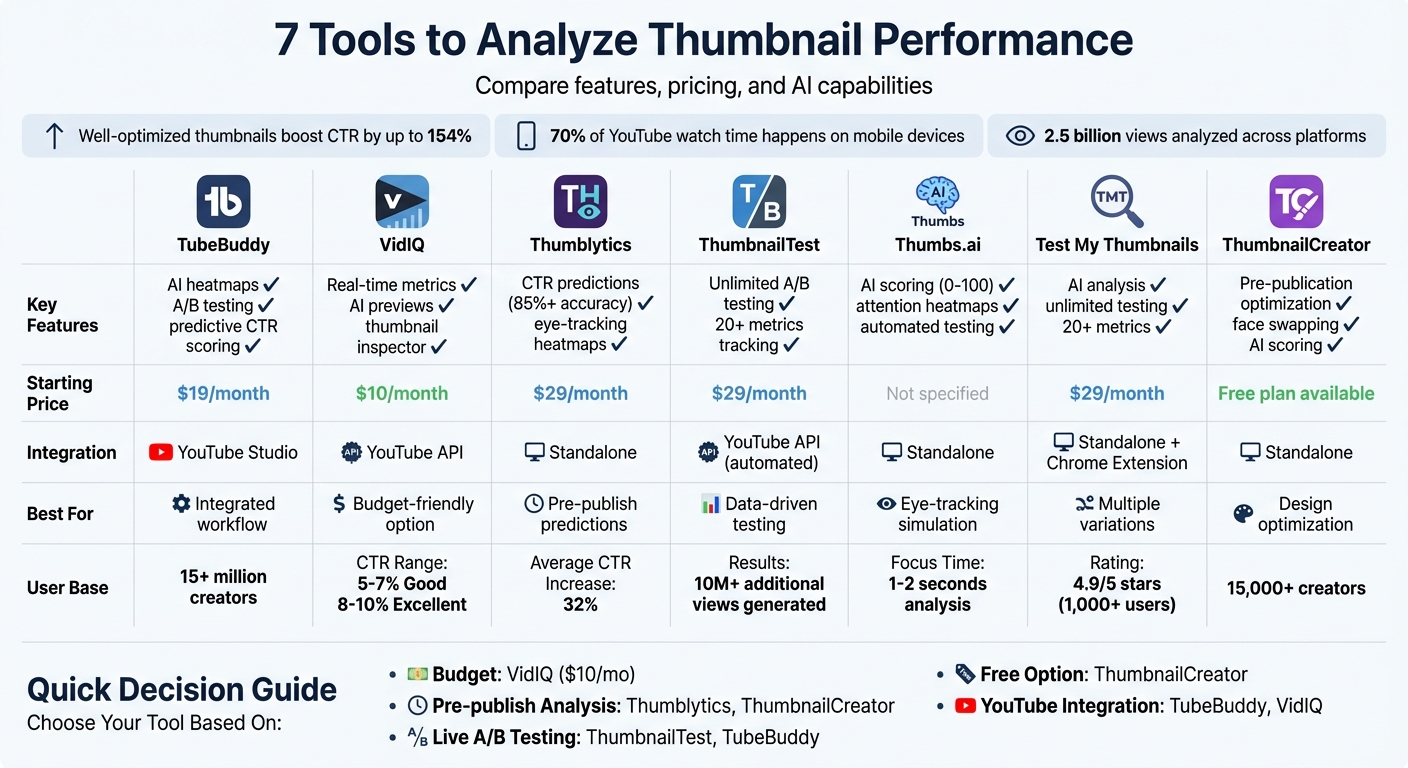
YouTube Thumbnail Analysis Tools Comparison: Features, Pricing & Capabilities
How To AI Boost YouTube Thumbnails
sbb-itb-b59debf
1. TubeBuddy Thumbnail Analyzer
TubeBuddy brings AI-driven thumbnail analysis right into YouTube Studio, offering predictive CTR scoring and AI-powered heatmaps. With over 15 million creators relying on its features, it’s a trusted tool for optimizing thumbnails.
Performance Metrics and Real-Time Tracking
TubeBuddy consolidates essential metrics - like CTR, watch time, engagement, and traffic sources - into one easy-to-navigate dashboard. When running A/B tests, it ensures accuracy by requiring a 95% statistical significance level before selecting a winning thumbnail. This means both the control and variation must receive at least 500 impressions. This approach ensures your decisions are guided by reliable data, not random variations.
"TubeBuddy is like having a YouTube expert on staff who will give you advice and direction whenever you need it." – Karin Carr
AI-Powered Analysis Capabilities
The Click Magnet feature highlights which colors, layouts, and design elements resonate most with your audience. Heatmaps provide a visual guide to where viewers’ attention naturally lands, helping you strategically position faces, text, or other key visuals in high-focus areas. On the Legend plan, you can compare up to 20 thumbnails per video, with each design receiving an AI-generated score for its effectiveness. These insights make it easier to refine your thumbnails and align them with audience preferences.
YouTube Integration and A/B Testing
TubeBuddy’s browser extension integrates directly with YouTube Studio, allowing you to set up experiments without leaving the platform. Thumbnails are swapped every 24 hours during A/B testing to measure performance over time. Legend plan users enjoy unlimited monthly A/B tests, with the ability to run up to 10 tests simultaneously. Plus, the multi-device preview feature ensures your thumbnails look great on desktops, mobile devices, and even TVs - a must for maintaining mobile readability across platforms.
| Plan | Thumbnail Analysis Limit | A/B Testing | Price Point |
|---|---|---|---|
| Free | 5 thumbnails | Limited/None | $0 |
| Pro | 10 per video | Available | Paid |
| Legend | 20 per video | Unlimited (10 concurrent) | Paid |
2. VidIQ Thumbnail Checker
VidIQ works as a browser extension that seamlessly integrates into YouTube, bringing performance tracking and AI-driven analysis right into the platform. Its VidIQ Scorecard provides real-time metrics like Views Per Hour, engagement rates, and an Outlier Score, which compares a video's performance to your channel's average. One standout feature is the Views Graph, which tracks changes to thumbnails or titles, helping you identify if these tweaks result in more views or longer watch times. This makes it a helpful addition to other thumbnail optimization tools, offering immediate feedback as you refine your designs.
Performance Metrics and Real-Time Tracking
VidIQ’s Thumbnail Preview Tool lets you see how your design looks across different parts of YouTube, including the Home feed, Search results, Suggested videos, and Mobile. It also allows toggling between light and dark modes to ensure your thumbnail is easily readable in any setting. You can even test your thumbnail against trending videos or competitor content. According to YouTube, most channels have a click-through rate (CTR) between 2% and 10%, with 5–7% considered "Good" and 8–10% labeled "Excellent".
AI-Powered Analysis Capabilities
VidIQ goes beyond previews by using AI to refine critical design details. The AI Coach breaks down what drives a video's performance, while the AI Thumbnail Maker creates professional-quality designs based on best practices. Meanwhile, the Thumbnail Inspector provides actionable feedback tailored to YouTube's latest trends and algorithm preferences. This includes tips on improving contrast, facial expressions, and text readability. Well-designed thumbnails can boost CTR by up to 154%, while maintaining a consistent style may increase click rates by 38%.
YouTube Integration and A/B Testing
VidIQ supports YouTube's "Test & Compare" feature, allowing you to generate and test up to three thumbnail variants per video. The tool focuses on ensuring your thumbnails not only attract clicks but also accurately represent your content to keep viewers engaged. In one test, a high-performing thumbnail tripled the number of views. VidIQ also includes a Thumbnail History feature, which tracks changes made by successful creators, helping you refine your strategy based on proven techniques.
"Great thumbnails don't just get viewers to click. They also help viewers understand what the video is about, so that they can make informed decisions about what to watch." – YouTube
Similar to TubeBuddy's advanced tools, VidIQ offers insights designed to improve your channel's reach. The Pro plan, which includes the Thumbnail Inspector, starts at $10/month. It works with long-form videos, completed livestreams, and podcasts, although some content types, like made-for-kids videos, may not qualify for YouTube’s native testing features.
3. Thumblytics
Thumblytics takes thumbnail analysis a step further by focusing on pre-publish predictions. Using deep learning models trained on massive datasets, the platform can predict your thumbnail's click-through rate (CTR) with over 85% accuracy - before your video goes live. This means you can fix design issues ahead of time to boost early engagement.
Predictive CTR Metrics and Performance Scoring
Every thumbnail uploaded to Thumblytics gets evaluated on a 0–100 scoring scale. This system breaks down key elements like readability, contrast, and how well the thumbnail grabs attention. You'll get a simple pass/fail for visual clarity, along with specific recommendations for improvement [5,20]. No more guessing - just clear, data-backed advice. On top of these metrics, the platform uses advanced visual analysis to refine your designs further.
AI Eye-Tracking and Attention Simulation
One standout feature is Thumblytics' AI-powered eye-tracking, which simulates human focus to produce heatmaps. These heatmaps show exactly where viewers' eyes are likely to land first. The tool also uses saliency ranking to evaluate elements like faces, text, and logos, identifying which parts of your thumbnail are most attention-grabbing. According to user data, creators who follow these insights report an average CTR increase of 32%.
"Thumblytics increased my CTR from 4.2% to 7.8% in just one month. The AI suggestions are incredibly accurate." – Alex Rivera, Tech YouTuber
YouTube Integration and Content Analysis
Thumblytics works seamlessly with YouTube, making it easy to incorporate into your workflow. You can upload a thumbnail image, enter a prompt, paste a video transcript, or simply drop in a YouTube URL for analysis. Its "recreate from URL" feature is particularly handy for competitive research: paste a link to a high-performing video, and Thumblytics will break down why its visual design works. Even better, it can generate optimized thumbnail alternatives in under 60 seconds.
A/B Testing and Design Tools
Thumblytics doesn’t just analyze - it helps you create. Its AI generation tools can produce multiple thumbnail variations and even suggest titles to improve your video’s overall appeal. It ensures consistency by maintaining face identity and brand alignment across all designs. Pricing starts at $16/month for the Starter plan (10 video analyses, 30 thumbnail generations), $41/month for the Pro plan, and $124/month for the Agency plan. All plans include a 7-day free trial.
4. ThumbnailTest
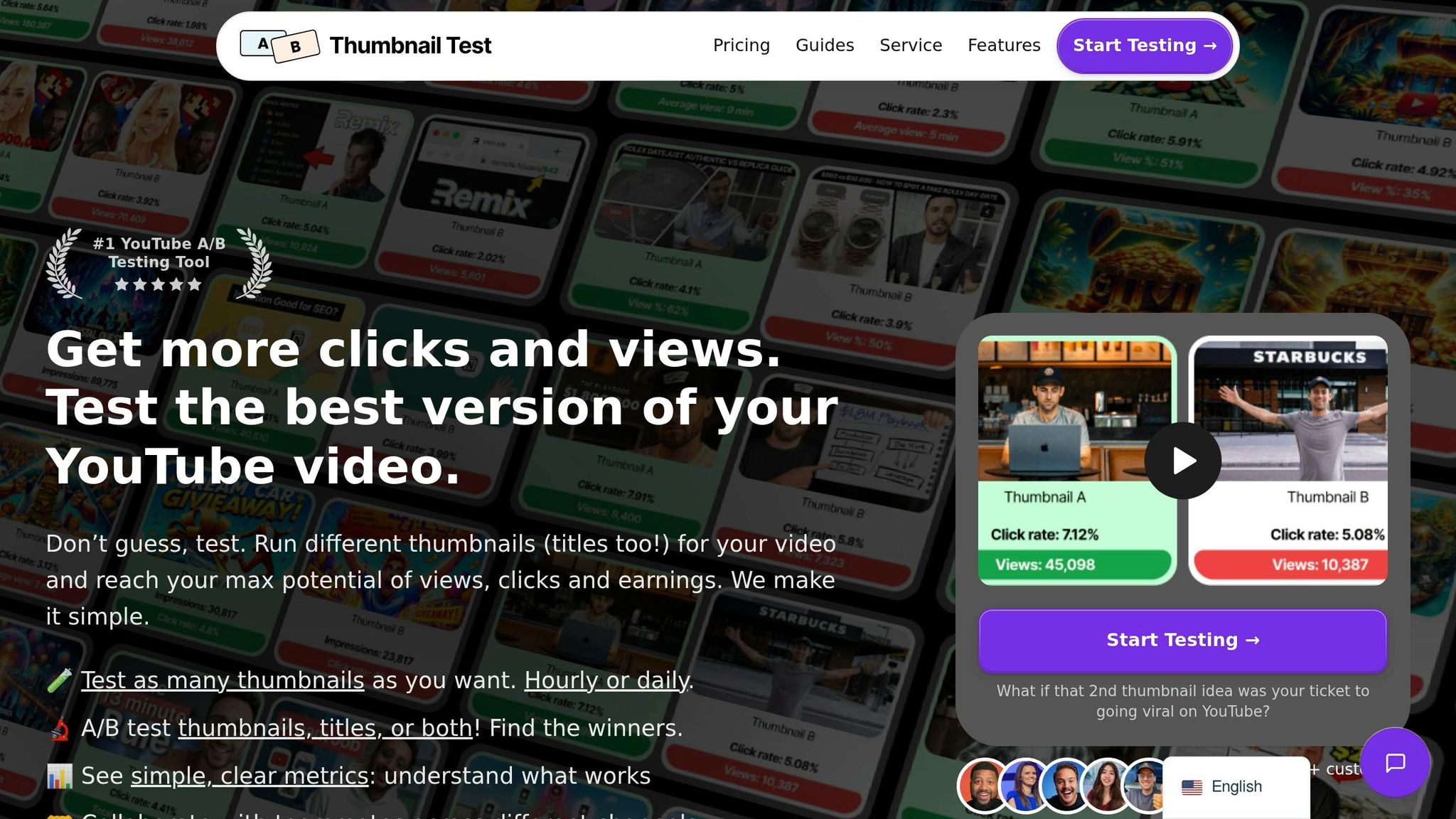
ThumbnailTest is designed for creators aiming to breathe new life into underperforming videos and make decisions based on solid data. Using AI-driven insights, this platform takes a targeted approach to boost video performance. To date, ThumbnailTest has analyzed over 2.5 billion views across more than 1,000 channels, which collectively reach a subscriber base of 565 million. A recent study revealed that 16,892 tests on the platform resulted in an additional 10,102,499 views for its users.
Performance Metrics and A/B Testing Options
YouTube’s native tools have limitations - they allow only three thumbnail variations and mainly focus on watch time. ThumbnailTest, however, goes further. It supports unlimited thumbnail variations for A/B testing and tracks a range of metrics, including:
- Click-through rate (CTR)
- Impressions
- View duration
- Watch time
- Engagement (likes, dislikes, comments)
The platform doesn’t stop at thumbnails. You can also test titles or even title-thumbnail combinations, with the option to rotate them hourly or daily. For new uploads, a 3-day delay feature ensures subscriber spikes don’t skew the data, giving a better picture of audience behavior. To achieve reliable results, it’s recommended to have at least 200–300 views on a video before starting a test.
Integration with YouTube and Automation Features
ThumbnailTest goes beyond metrics by integrating directly with YouTube Studio, simplifying the process through automation. A dedicated Chrome extension pulls data from YouTube Studio and schedules thumbnail swaps automatically, saving creators from tedious manual tasks.
Additional tools include:
- AI-generated title suggestions to optimize video appeal
- Heatmaps that highlight where viewers’ attention is likely to focus
These features streamline the testing process, making it easier for creators to improve their content.
The platform has already delivered incredible results for users. For example, Nolan Molt from Think Media replaced a thumbnail on a video that had stalled at 40,000 views - and it skyrocketed to 1.5 million views. Similarly, the Machining and Microwaves channel saw a video stuck at 15,000 views for 21 days climb to 120,000 views after a thumbnail change.
"I changed the thumb on a vid that was stuck at 15k views after 21 days and it took off and hit 120k" – Machining and Microwaves, YouTube Channel
Pricing Plans and Discounts
ThumbnailTest offers three subscription plans:
- Basic: $29/month for one channel with unlimited tests
- Pro: $49/month for up to three channels, including API access
- Business: $99/month for up to ten channels, with premium support
For smaller creators, channels with fewer than 10,000 subscribers can get a 40% discount. The platform also boasts a 4.9/5-star rating from over 1,000 satisfied customers.
5. Thumbs.ai
Thumbs.ai takes thumbnail creation to the next level by combining AI-driven design with real-time performance tracking. It generates click-worthy thumbnails directly from your video descriptions or transcripts and pairs this with a scoring and testing system that’s hard to beat.
AI Scoring and Attention Heatmaps
One of the standout tools on Thumbs.ai is its AI scoring system, which rates thumbnails on a 0–100 scale. This score is based on factors like readability, emotional appeal, contrast, clarity, and overall ability to grab attention. But it doesn’t stop there. The platform also uses attention heatmaps, which simulate eye-tracking to show where viewers’ eyes naturally land within the first 1–2 seconds. This gives creators a quick and clear idea of what works and what doesn’t - before their content even goes live.
Real-Time A/B Testing with YouTube Integration
Thumbs.ai doesn’t just analyze; it tests in real-world scenarios. Through its live A/B testing feature, the platform connects directly to the YouTube API. This allows it to automatically swap thumbnails and titles on a set schedule - hourly or daily - while tracking actual impressions, click-through rates (CTR), and views from real viewers. Unlike simulated tests, this approach provides insights based on actual audience behavior. Best of all, the process is fully automated, so you can run tests without constantly checking in or making manual updates.
6. Test My Thumbnails
Test My Thumbnails takes analytics and automation to the next level, offering tools that let creators experiment with their thumbnails and titles like never before. With unlimited A/B/C/D/E testing, creators can test multiple variations to find the perfect combination that resonates with their audience. So far, the platform has processed over 2.5 billion views through 16,892 tests, leading to an estimated 3 billion extra views - a standout achievement compared to other tools.
Performance Metrics and YouTube Integration
This platform tracks more than 20 YouTube Studio metrics, including CTR (click-through rate), impressions, views, average view duration (AVD), watch time, likes, dislikes, and comments. A Chrome Extension simplifies the process by automating thumbnail and title changes on an hourly or daily basis, while also keeping tabs on real-time audience engagement.
AI-Powered Analysis and Smart Features
Test My Thumbnails goes beyond just testing. Its AI analyzes color schemes, composition, contrast, and visual hierarchy and dimensions to help improve thumbnail effectiveness. It also uses facial recognition to gauge emotional impact and OCR (optical character recognition) to assess text readability and placement. On top of that, the platform can generate AI-powered title suggestions to complement your thumbnail designs, giving creators a well-rounded optimization toolkit.
Proven Results from Real Creators
Creators have seen firsthand how effective this tool can be. Nolan Molt from Think Media shared:
"I changed my thumbnail on YouTube because I wasn't getting any views - and my video exploded. From 40k views → 1.5M views"
Test My Thumbnails is trusted by creators with a combined subscriber base of over 565 million and holds an impressive 4.9/5 star rating from more than 1,000 users.
Pricing Plans
The platform offers three pricing tiers:
- Basic Plan: $29/month for 1 channel with unlimited tests
- Pro Plan: $49/month for 3 channels, video automation, and API access
- Business Plan: $99/month for 10 channels, Zapier integration, and premium support
For smaller creators, channels with fewer than 10,000 subscribers get a 40% discount on the Basic plan.
With these features, Test My Thumbnails equips creators with the tools to fine-tune their thumbnails and titles before releasing them to the world.
7. ThumbnailCreator
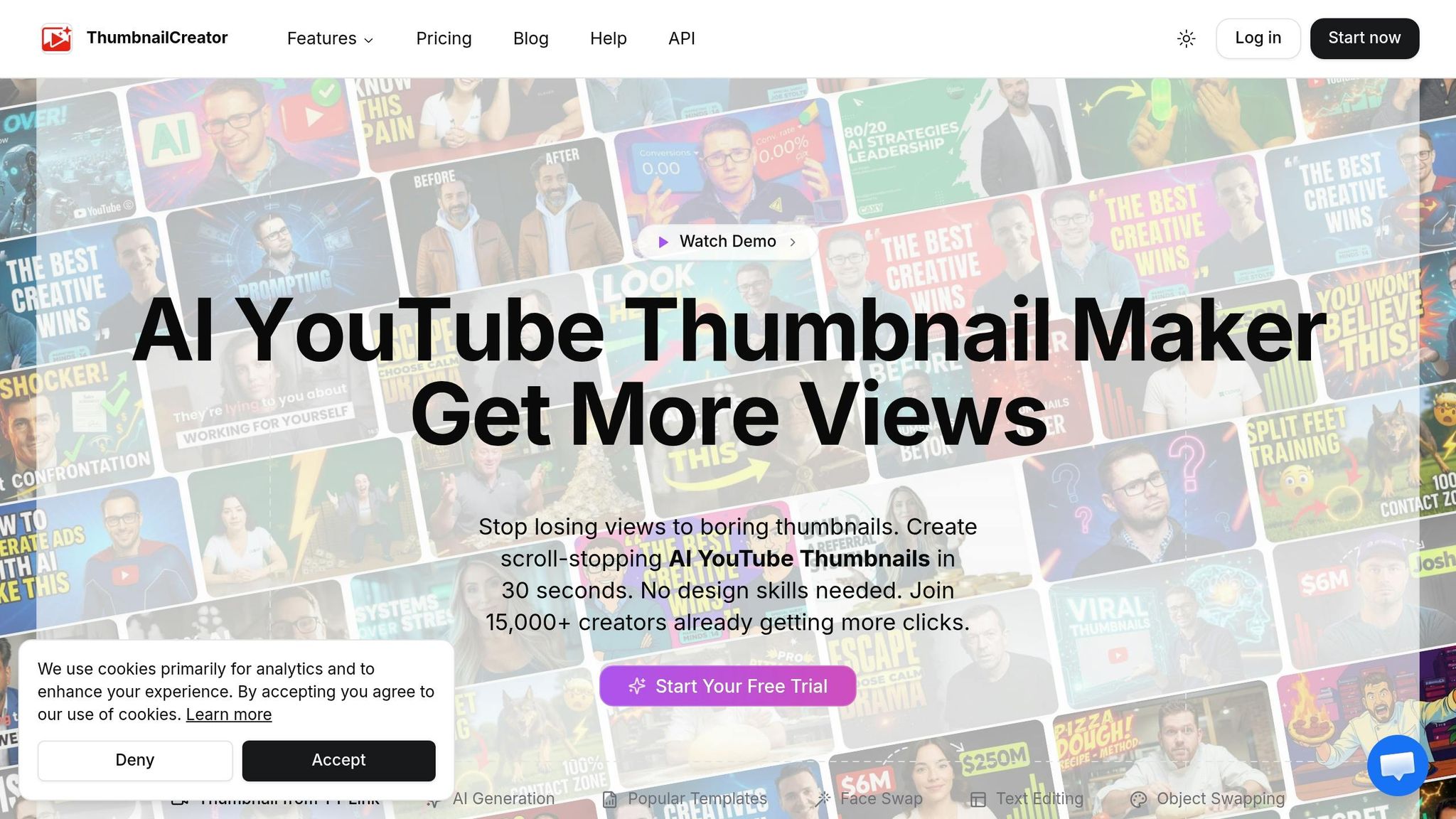
ThumbnailCreator is an AI-driven tool designed to fine-tune your thumbnails before they go live. Unlike other tools that analyze thumbnails after they’ve been published, ThumbnailCreator focuses on pre-publication design and optimization. With more than 15,000 YouTube creators using it, this platform combines creative design features with performance insights to help avoid losing impressions on thumbnails that fall flat.
AI-Powered Features for Better Thumbnails
ThumbnailCreator uses AI to craft thumbnails that grab attention by analyzing your video content and audience preferences. It provides tailored suggestions to ensure your designs resonate with viewers. One standout feature is its face-swapping tool, which lets you test different facial expressions - especially since emotional faces are proven to drive more clicks.
The platform also offers tools to refine text, emphasizing readability and contrast. The best-performing text is bold, large, and kept to just 1–3 words, making it easy to read even on small screens. Additionally, its object-swapping feature uses attention heatmaps to strategically position elements in areas that naturally draw the eye, all before you hit publish.
Performance Scoring Before You Publish
ThumbnailCreator provides a performance score (ranging from 1 to 100) based on factors like contrast, composition, emotional appeal, face visibility, and text clarity. This score helps you tweak your design until it hits a high-performing mark. Features like the Color Enhancer and Auto Optimization further refine your visuals to boost click-through rates. You can even preview how your thumbnail will look within YouTube’s interface across different devices.
Research shows that well-optimized thumbnails can increase click-through rates by as much as 154%. By addressing potential design flaws before publishing, ThumbnailCreator ensures you’re not wasting valuable impressions on thumbnails that don’t perform.
Feature and Pricing Comparison
When choosing a thumbnail optimization tool, it’s important to consider whether you need predictive AI scoring before publishing or live A/B testing with real audience data. Tools like TubeBuddy and VidIQ integrate directly into YouTube Studio, offering performance insights, while ThumbnailTest focuses on live A/B testing. On the other hand, tools such as Thumblytics use deep learning and color psychology to predict click-through rates (CTR), while Thumbs.ai provides eye-tracking simulations. ThumbnailCreator goes even further with a 7-dimensional AI scoring system, offering features like attention heatmaps, emotional impact analysis, and previews for mobile and dark modes. The table below breaks down the core features, metrics, integration, and pricing for each tool.
| Tool | AI Capabilities | Key Metrics | Platform Integration | Starting Price |
|---|---|---|---|---|
| TubeBuddy | Performance scoring, AI heatmaps | CTR tracking, success pattern analysis | YouTube Studio dashboard | $19/mo (Pro) |
| VidIQ | Trend-based feedback, AI keyword optimization | Performance tracking, trend analysis | YouTube API integration | $10/mo (Pro) |
| Thumblytics | Deep learning CTR prediction (85%+ accuracy), color psychology insights | Heatmap analysis, A/B testing suggestions | Standalone platform | $29/mo |
| ThumbnailTest | Predictive analytics for viewer behavior | Live A/B testing, retention impact, data export | YouTube API (automated swaps) | Varies (14-day money-back) |
| Thumbs.ai | AI-powered attention prediction | Eye-tracking simulation, focus zones | Standalone platform | Not specified |
| Test My Thumbnails | Performance prediction | CTR estimates, readability checks | Standalone platform | Not specified |
| ThumbnailCreator | 7-dimension AI scoring, attention heatmap, emotional impact analysis | Niche-specific scoring (1–100), mobile/dark mode previews | Pre-publication optimization | Free plan available |
These tools cater to different needs, helping you align your design process with your channel’s goals. For example, VidIQ offers an affordable entry point at $10/month, while Thumblytics provides more advanced features starting at $29/month. If you’re managing multiple channels, TubeBuddy’s $19/month Pro plan might be a good fit, especially with its heatmap technology.
To get the best results, combine AI-powered analyzers like ThumbnailCreator - which can refine contrast, composition, and readability - with live A/B testing tools to measure how real audiences respond. With 70% of YouTube watch time happening on mobile devices, it’s critical to use tools that offer mobile preview features to ensure your thumbnails are effective across all screen sizes.
Conclusion
Choose a tool that aligns with your workflow and goals. If you're looking for instant feedback during the design process, tools like ThumbnailCreator can simplify the job. With features like AI generation, pre-designed templates, face swapping, text editing, and object swapping, you can quickly craft thumbnails that grab attention and look professional.
Pair AI-powered pre-upload analysis with live testing to fine-tune elements like contrast, text clarity, and emotional impact. This approach helps you avoid wasting time and effort on thumbnails that underperform while continuously improving based on actual viewer behavior.
Once you've picked your tool, make sure your thumbnails look great on all devices. Opt for tools that provide mobile previews and text readability scoring to ensure your designs are clear and engaging, even on smaller screens.
Experiment with ThumbnailCreator's free plan to explore features like AI generation, face swapping, and text editing. The right tool should save you time, increase your click-through rate, and give you the confidence that every thumbnail you create is optimized for success.
FAQs
Should I use pre-publish scoring or live A/B testing?
Live A/B testing works better for fine-tuning YouTube thumbnails because it delivers real-time feedback based on actual audience interactions. This method evaluates engagement during the video's live performance, offering insights grounded in reality. Pre-publish scoring, while helpful for estimating performance, doesn't provide the same level of certainty. For creators looking to boost click-through rates, combining live testing with detailed analysis leads to more dependable outcomes.
How many impressions do I need for reliable results?
To get a dependable read on how your thumbnails are performing, you should aim for at least 1,000 impressions. Hitting this number ensures you have enough data to spot meaningful trends and understand how your audience interacts with your content.
What makes a thumbnail work on mobile?
A strong mobile thumbnail grabs attention even at smaller sizes. To achieve this, focus on bright colors, clear visuals, and prominent elements like faces or props that naturally draw the eye. Simplicity is key - avoid clutter and stick to a clean design. If you include text, make sure it's bold, large, and easy to read. Using high-contrast colors and expressive imagery further improves visibility. Finally, test your thumbnail's performance before publishing to ensure it resonates with mobile viewers and encourages clicks.