

Top 5 AI Tools for Niche Thumbnails
Your video thumbnail is often the single most important factor in grabbing attention. With over 70% of YouTube views coming from the homepage feed, a standout thumbnail can significantly boost your click-through rate (CTR). AI tools now make it easier and faster to create professional thumbnails tailored to your niche, without requiring design expertise or hours of manual effort.
Here are five AI-powered tools designed to help you create better thumbnails in less time:
- ThumbnailCreator: AI analyzes 3M+ thumbnails to generate tailored designs in 30 seconds. Features include style cloning, face swapping, and 4K exports.
- Pikzels: Offers bulk thumbnail generation, A/B testing, and a "Thumbnail Recreation" tool for replicating successful designs in your niche.
- Thumbmagic: Focuses on niche-specific insights, emotion-based design, and frame extraction for quick, high-quality thumbnails.
- VidIQ: Combines AI thumbnail creation with YouTube analytics, offering competitor analysis and proven design templates.
- Seedream: Known for sharp text rendering and high-resolution visuals, it’s ideal for creators who prioritize precision and quality.
These tools save time, lower costs, and improve CTRs by leveraging AI to analyze trends, test variations, and refine designs for your audience. Below is a quick comparison of their features and pricing.
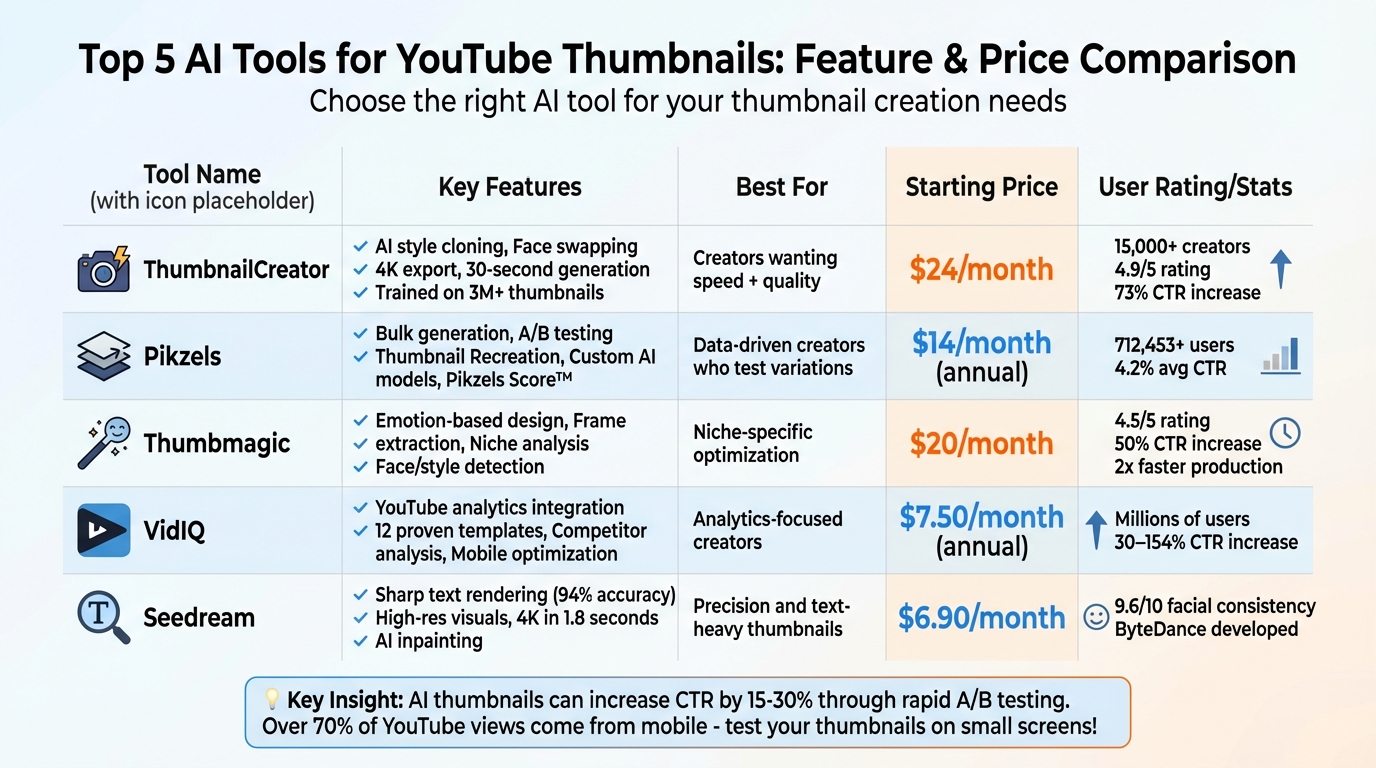
AI Thumbnail Tools Comparison: Features and Pricing Guide
How to Create YouTube Thumbnails with AI using ThumbnailCreator.com AI YouTube Thumbnail Generator
sbb-itb-b59debf
Quick Comparison
| Tool | Key Features | Starting Price |
|---|---|---|
| ThumbnailCreator | AI style cloning, face swapping, 4K export | $24/month |
| Pikzels | Bulk generation, A/B testing, custom models | $14/month (annual) |
| Thumbmagic | Emotion-based design, frame extraction | $20/month |
| VidIQ | YouTube analytics, design templates | $7.50/month (annual) |
| Seedream | Text rendering, high-res visuals | $6.90/month |
Each tool has unique strengths, so choose one based on your needs, whether it’s speed, precision, or advanced customization.
1. ThumbnailCreator
If you're a YouTube creator looking to save time and improve your video thumbnails, ThumbnailCreator might be the tool for you. Designed specifically for YouTube, it uses AI trained on over 3 million successful thumbnails to suggest styles and layouts tailored to different video categories.
AI-Powered Thumbnail Generation
ThumbnailCreator makes creating thumbnails incredibly fast and easy. Simply paste an unlisted YouTube URL or a video description, and the platform generates multiple thumbnail options in just 30 seconds. Its AI Optimize feature automatically fine-tunes these thumbnails to help increase click-through rates. What used to take hours in Photoshop can now be done in just six minutes.
Dave S Anderson, a YouTube creator, shared his experience: "ThumbnailCreator has saved me so much time. I used to spend 1-3 hours per thumbnail... Now, my thumbnails are finished within a few mins and they look (and convert) better as well."
In addition to speed, the tool adjusts its designs to meet the needs of niche audiences.
Niche-Specific Optimization
For creators in specialized fields, ThumbnailCreator offers Style Cloning, which replicates the visual elements of successful thumbnails in your category. It also features a Trending Thumbnails section, showcasing the most effective designs across different niches.
Maria Reyes, another YouTube creator, highlighted this benefit: "The AI not only generates beautiful thumbnails, but it also understands what style works best for different types of videos."
The platform’s Thumbnail Analyzer provides feedback to ensure your designs align with the standards of your niche. According to reports, users have seen a 73% increase in click-through rates compared to manually created thumbnails. Over 15,000 creators across various genres are already using ThumbnailCreator.
For those who want to add a personal touch, the tool also offers advanced customization options.
Advanced Customization Features
ThumbnailCreator includes tools like smart face swapping for consistent branding and AI Layer Splitting for more precise edits. All thumbnails are exported in 4K resolution, and a one-click upload feature allows you to publish directly to your YouTube channel - making it a seamless part of your workflow.
Aleric Heck, a YouTube Ads expert with over 75,000 subscribers, recommends the tool, saying, "The AI Optimize feature automatically improves thumbnails, and the fully AI-generated options keep getting better."
With a 7-day free trial, ThumbnailCreator offers an affordable alternative to hiring professional designers - who typically charge anywhere from $50 to $200 per thumbnail.
2. Pikzels
Pikzels uses data from millions of successful YouTube thumbnails to identify patterns that drive clicks. This specialized training allows the tool to focus on what actually works on the platform. With text-based prompts, it can generate thumbnails in just 30 seconds. According to its internal data, these AI-designed thumbnails achieve an average click-through rate of 4.2%, compared to 3.5% for manually created ones.
AI-Powered Thumbnail Generation
Pikzels takes thumbnail creation to another level with its Bulk Generation feature, which produces several variations at once - perfect for A/B testing. It also includes an AI title generator that aligns video titles with the visual style of the thumbnail, creating a cohesive presentation aimed at improving click-through rates. By early 2026, Pikzels had over 712,453 users, including top YouTube creators like Mark Rober and Veritasium.
Niche-Specific Optimization
For creators targeting specific audiences, Pikzels offers the Thumbnail Recreation tool. By pasting the URL of a top-performing video in your niche, the AI can analyze and replicate its design, style, and layout. The "Inspiration Weight" slider lets you control how closely your new thumbnail mirrors the original, allowing you to adapt successful trends without outright copying them.
"Pikzels made us $60K in 1 month! It was always difficult to make thumbnails that aligned with our vision", shared Rico Griek from the Netherlands.
You can also upload three of your existing thumbnails to teach the AI your brand's aesthetic. This ensures consistent use of colors, fonts, and layouts across all your content. These tools make Pikzels particularly appealing for creators looking to fine-tune their designs.
Advanced Customization Features
Pikzels allows users to train custom AI models with about 20 photos, enabling the tool to integrate your likeness into thumbnails with the right expressions and poses - no need for a photoshoot. Its Sketch-to-Thumbnail feature turns rough hand-drawn ideas into polished designs, while a text-based editor lets you refine thumbnails with simple commands.
The platform also includes Pikzels Score™, a feature that evaluates thumbnails based on five metrics: Virality, Clarity, Idea, Curiosity, and Emotion. The One-Click Fix™ tool uses this analysis to automatically improve your designs. Pricing starts at $14/month (billed annually) for the Essential plan, with Premium at $28/month and Ultimate at $56/month.
3. Thumbmagic
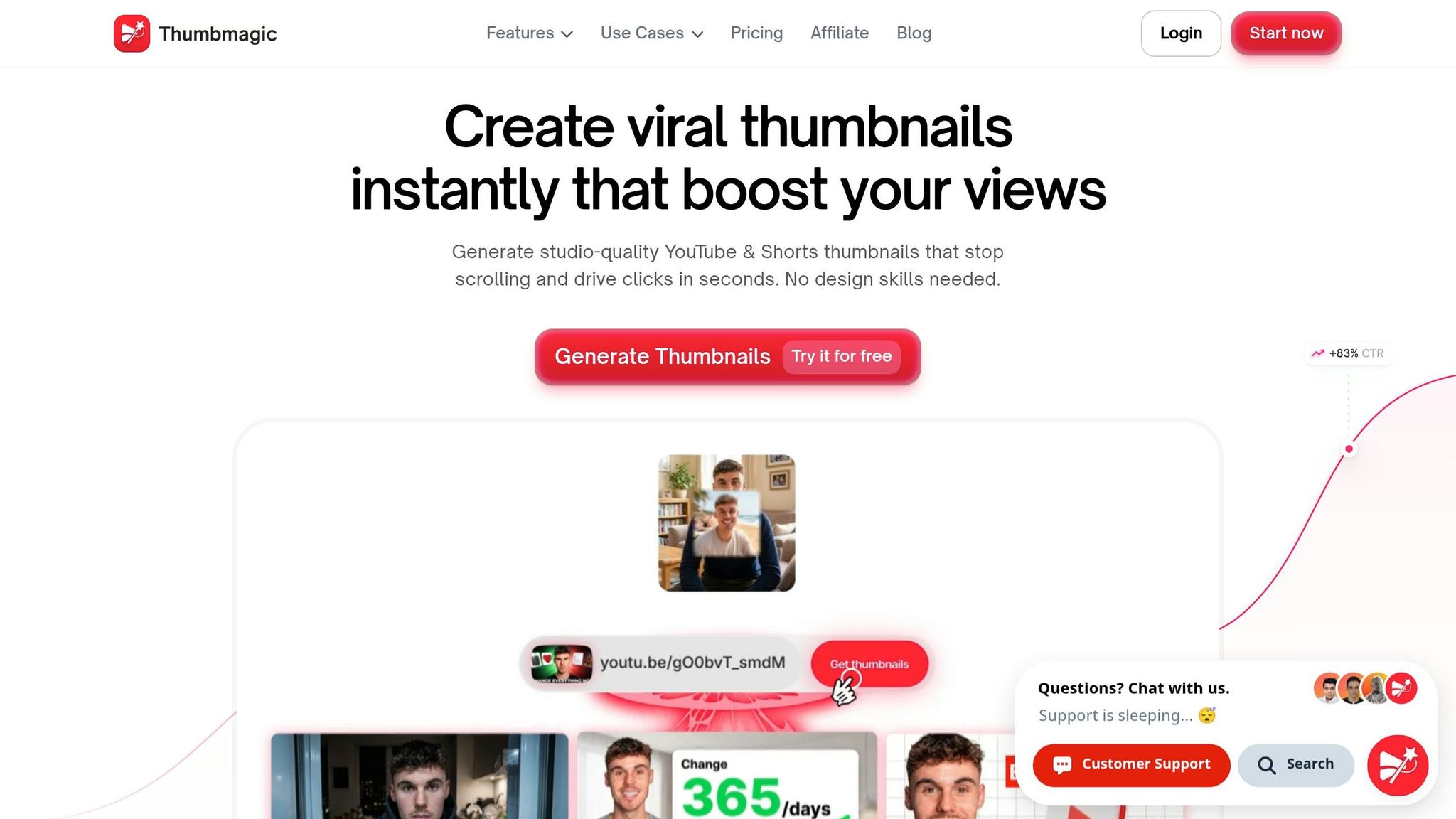
Thumbmagic takes AI-driven thumbnail design to the next level by focusing on niche-specific insights. By analyzing top-performing thumbnails in your niche, it creates layouts designed to outperform standard designs. Users have reported an average 50% increase in click-through rates and a production speed that’s twice as fast compared to traditional methods.
AI-Powered Thumbnail Generation
Getting started with Thumbmagic is easy, thanks to its multiple input options. You can paste a YouTube URL, upload a video file, or even submit a script transcription. From there, the AI automatically extracts key moments and identifies visual hooks to use as the foundation for your thumbnail. This feature eliminates the need for tedious manual frame selection.
The tool also uses face and style detection to capture the best expressions from your video, seamlessly aligning them with your brand’s identity.
"I can generate dozens of thumbnails in seconds for A/B tests and new ideas. It saves me so much time and helps me find the best thumbnail for every video."
- Nicky Saunders, Badis Design
These automated features are complemented by customization options, giving you both speed and creative control.
Niche-Specific Optimization
Thumbmagic takes customization further by allowing you to input emotion keywords like "excited" or "curious." This helps the tool design thumbnails that evoke the right psychological response from your audience. Additionally, it fine-tunes text overlays to match the expectations of viewers within your niche.
The platform includes proven design frameworks and lets you upload custom images, ensuring your thumbnails maintain a polished and professional look. With a rating of 4.5/5 from industry reviewers, Thumbmagic has been called the "Best Dedicated YouTube Thumbnail Tool" for its ability to boost click-through rates.
Advanced Customization Features
While the AI does the heavy lifting, you can still manually tweak text, colors, backgrounds, and even facial expressions if needed. The tool supports 4K, platform-ready exports and significantly cuts design costs - by as much as 90% compared to hiring professional services.
Thumbmagic offers three pricing tiers:
- Essential Plan: $20/month for 2,400 credits
- Premium Plan: $40/month for 18,000 credits, including FaceSwap and thumbnail recreation
- Ultimate Plan: $80/month for 54,000 credits and private generations
Annual billing comes with a 30% discount, and occasional promotions can offer discounts of up to 50%.
4. VidIQ
VidIQ stands out by combining AI thumbnail creation with detailed YouTube analytics, making it a go-to tool for creators looking to boost engagement. Trusted by millions of users and backed by thousands of 5-star reviews, it analyzes your channel's performance and competitor data to recommend thumbnails that are more likely to attract clicks in your specific niche [10, 28].
AI-Powered Thumbnail Generation
VidIQ offers three distinct modes for generating thumbnails - Video, Subject, and Reference. These modes use visual cues, keywords, and successful examples to create thumbnails tailored to your content [27, 28].
"vidIQ's AI thumbnail maker generates high-performing thumbnails from any video... It serves as a virtual coach for click-worthy designs."
- vidIQ
These tools provide a strong starting point for creating thumbnails that align with niche audiences.
Niche-Specific Optimization
VidIQ doesn't just stop at thumbnail creation; it fine-tunes designs to suit specific audiences. The platform offers 12 proven thumbnail formats, such as "Facts and Stats" for sports or science content and "Before-and-After" for DIY or transformation videos. Additionally, its competitor analysis tool allows you to input a rival's video URL, helping you identify gaps and opportunities in your niche. VidIQ's AI also evaluates your video's title, description, and tags to ensure the thumbnails align with your audience's search habits [5, 27, 28].
Integration with YouTube and Mobile Optimization
VidIQ integrates seamlessly with YouTube as a browser extension, drawing on channel data and audience demographics to guide its design recommendations [5, 10]. Recognizing that over 70% of YouTube views happen on mobile devices, VidIQ emphasizes bold fonts and high-contrast colors optimized for mobile and dark mode [28, 32]. Creators using these optimized thumbnails have reported click-through rate increases ranging from 30% to 154%.
"vidIQ has helped me beat the YouTube game and discover MILLIONS of untapped views."
- The Spiffing Brit, YouTuber (8M+ Subscribers)
Advanced Customization Features
While VidIQ's AI does much of the heavy lifting, creators can tweak their thumbnails using the Smart Commands feature - for instance, by entering prompts like "make it brighter". The Likeness toggle ensures that your face is consistently included in designs, maintaining a cohesive brand identity.
VidIQ offers four pricing plans to fit different needs:
- Basic: Free, with limited features.
- Pro: $7.50/month (billed annually) or $10/month.
- Boost: $16.58/month (billed annually) or $39/month, which includes the AI thumbnail generator.
- Max: Starting at $99/month, featuring personalized coaching.
One limitation is that the AI thumbnail generator is only available in the higher-priced Boost and Max tiers [27, 10].
5. Seedream
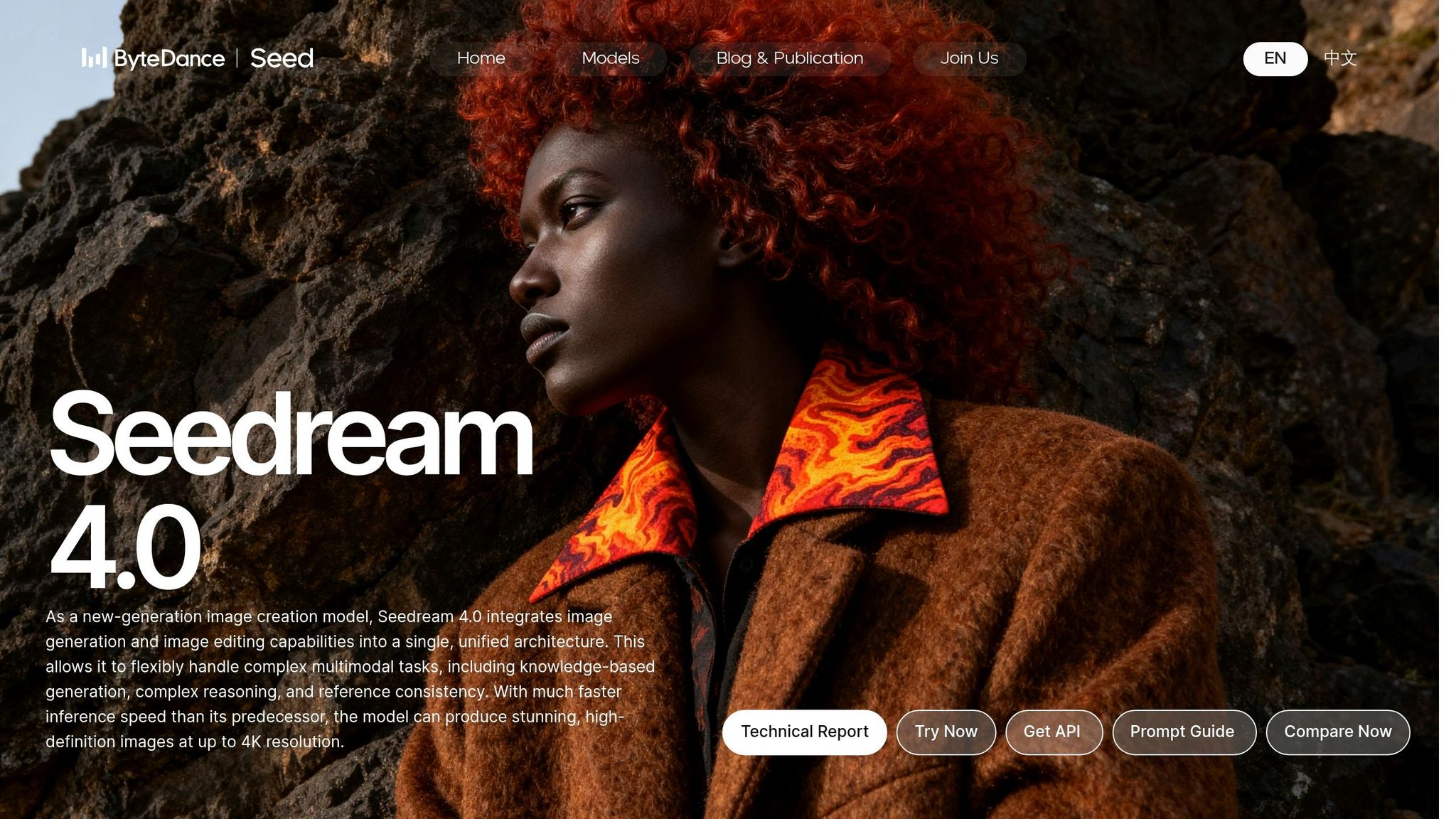
Seedream 5.0, developed by ByteDance, is a versatile AI image generator that stands out for its ability to create high-resolution visuals with sharp, readable text - perfect for crafting attention-grabbing thumbnails on mobile devices. Unlike tools tailored specifically for YouTube, Seedream is designed for broader use, making it a go-to choice for creators who value precision and quality in their visuals.
AI-Powered Thumbnail Generation
Seedream's advanced prompt interpretation delivers impressive results, boasting 94% accuracy in rendering typography. This makes it especially effective for bold, eye-catching thumbnail titles. The platform can produce up to nine coordinated 4K images in just 1.8 seconds, ensuring speed without sacrificing quality.
"Seedream 4.5's standout feature is its exceptional text rendering capability... it can accurately generate readable text within images, making it ideal for creating marketing materials."
- WaveSpeedAI
This powerful AI backbone also supports further refinements tailored to specific niches.
Niche-Specific Optimization
Seedream leverages web-connected knowledge to create visuals that align with trending topics and specialized niches (similar to trending YouTube thumbnails in other categories). It allows creators to use up to 14 reference images, ensuring consistent character features, clothing, and artistic styles across multiple images. Impressively, it scores 9.6/10 for facial consistency, even in dynamic shots.
Advanced Customization Features
The platform offers a range of customization tools, including brush-based editing, AI inpainting, and outpainting, which allow users to extend backgrounds while maintaining a cohesive style. Simple text commands like "change the background to a sunset" or uploaded doodles can specify exact areas for editing. For thumbnails with specific text, enclosing titles in double quotation marks (e.g., "HOW TO GO VIRAL") enhances rendering accuracy. Additionally, an upscaler ensures thumbnails remain sharp, even on larger displays.
Seedream is available for free trials on Dreamina, with API access priced between $0.02 and $0.04 per generated image. Subscription plans start at $6.90/month for 100 images and go up to $59.90/month for 1,500 images. Although it doesn’t integrate directly with YouTube, requiring manual uploads, its unmatched text rendering and customization options make it an excellent choice for creators focused on maintaining high visual standards and consistent branding.
Pricing Comparison
ThumbnailCreator uses a credit-based system where one credit equals one thumbnail. All paid plans come with a 7-day free trial offering 10 credits, with no charges applied until the eighth day. Opting for annual billing gives you 2 free months compared to the monthly payment option. Here's a closer look at the pricing and features compared.
The Starter plan, priced at $24/month, provides 600 credits annually. It’s a solid choice for creators posting 1–2 videos per week. Features include AI generation, basic face tools, a variation generator, and a thumbnail extractor.
For creators posting more frequently - 3–5 videos per week - the Creator plan at $41/month offers 1,200 annual credits. It also unlocks advanced tools like Face Training, Person Swap, Expression Morphing, and access to trending thumbnails.
If you're managing a high-volume channel or agency, the Teams plan at $83/month is tailored for you. It includes 3,000 credits per year and perks like API access for automation, a Channel Makeover feature to revamp all thumbnails on a YouTube channel at once, batch variations, support for unlimited team members, and 24/7 priority support.
Here's a quick breakdown:
| Plan | Monthly Cost | Annual Credits | Key Features |
|---|---|---|---|
| Starter | $24 | 600 | AI Generation, Basic face tools, Variation generator, Thumbnail extractor |
| Creator | $41 | 1,200 | Advanced Face Training, Person Swap, Expression Morphing, Trending Thumbnails |
| Teams | $83 | 3,000 | API Access, Channel Makeover, Batch variations, Unlimited team members, 24/7 Priority support |
ThumbnailCreator has earned the trust of over 15,000 creators, generating more than 10 million thumbnails. It boasts a 4.9/5 user rating. Many creators have seen impressive results, with some reporting up to a 73% increase in click-through rates by following advanced thumbnail optimization strategies thanks to AI-optimized designs. This makes it a valuable tool for anyone focused on growing their channel.
Conclusion
AI tools are transforming how creators design thumbnails for niche audiences. Instead of spending hours in Photoshop or shelling out $50–$200 per thumbnail, you can now create professional, data-driven designs in just 30 seconds. These tools analyze millions of successful thumbnails to recommend layouts, color schemes, and emotional triggers that resonate with specific audiences - whether you're reaching tech fans, churchgoers, or gamers. This efficiency not only saves time but also boosts engagement significantly.
The real game-changer is rapid testing. AI allows creators to test multiple thumbnail variations quickly, where the biggest performance improvements often occur. As content creator Vicki Larson explains:
"The competitive advantage is shifting from 'who can design better' to 'who can test faster and understand their audience better.'"
Channels that A/B test AI-generated thumbnails frequently see click-through rate (CTR) increases of 15% to 30%. In fact, the right thumbnail can even double your CTR compared to a poorly designed one. This ability to test and refine designs rapidly is a major advantage for creators looking to stand out.
For those seeking fast, professional results, ThumbnailCreator is a standout option. It’s ideal for creators without design expertise or much time to spare. ThumbnailCreator delivers results 20 times faster, cutting design time from hours to mere minutes. By analyzing over 3 million high-performing thumbnails, the tool automatically optimizes designs, and users have reported a 73% higher CTR compared to DIY thumbnails.
To refine your niche strategy, quick and varied testing is essential. Take advantage of ThumbnailCreator's 7-day free trial to create AI-generated thumbnails tailored to your audience. Try generating 3 to 5 variations for your next video, track which one performs best, and let the data guide your future designs. Keep your text concise - 3 to 5 words max - and ensure your thumbnail passes the "squint test." If the core message isn’t clear when blurry, it won’t work on mobile devices, where over 70% of YouTube views occur.
The evidence is clear: these tools deliver results. The next step is choosing the right one for your workflow and letting the data steer your creative process.
FAQs
How do I pick the right AI thumbnail tool for my niche?
When picking an AI thumbnail tool, focus on one that delivers eye-catching, click-worthy designs tailored to your audience. Opt for tools offering features like customizable templates, AI-powered layouts, text editing, and object swapping to align with your niche's style. Tools that simplify the design process, ensure consistent branding, and allow for flexible styling can make a big difference in grabbing attention and keeping your viewers engaged.
How many thumbnail versions should I A/B test per video?
To get more clicks on your videos, try A/B testing 2–3 different thumbnail designs for each one. This method lets you figure out which design connects best with your audience, helping to improve your video's overall performance.
What makes a thumbnail work on mobile screens?
A thumbnail performs best on mobile screens when it captures attention instantly and remains clear even at smaller sizes. To achieve this, focus on bold visuals, high contrast, and simplicity. Incorporate large, easy-to-read text and a clear focal point so that key elements pop. Tools like ThumbnailCreator can assist by designing thumbnails specifically tailored for mobile, prioritizing clarity and visual appeal to help increase click-through rates.