

YouTube Thumbnail A/B Testing: Tools Comparison
Want to boost your YouTube click-through rates? Thumbnail A/B testing is the key. This process compares different thumbnail designs to determine which one performs best, helping creators attract more clicks and improve video visibility. Here’s a quick breakdown of popular tools for thumbnail testing:
- TubeBuddy: Tests thumbnails, titles, and more with detailed analytics. Best for creators needing in-depth metrics and broader optimization.
- Thumbnail Test: YouTube’s built-in feature focuses on watch time. Simple and free, but limited to three variations.
- VidIQ: AI-generated thumbnails paired with YouTube’s testing feature. Ideal for creators seeking polished designs without design skills.
- ThumbnailCreator: AI-driven tool for quick thumbnail creation. Great for testing multiple designs but lacks advanced analytics.
Each tool has unique strengths, from automation to AI design. Below is a quick comparison of their features, analytics, and use cases.
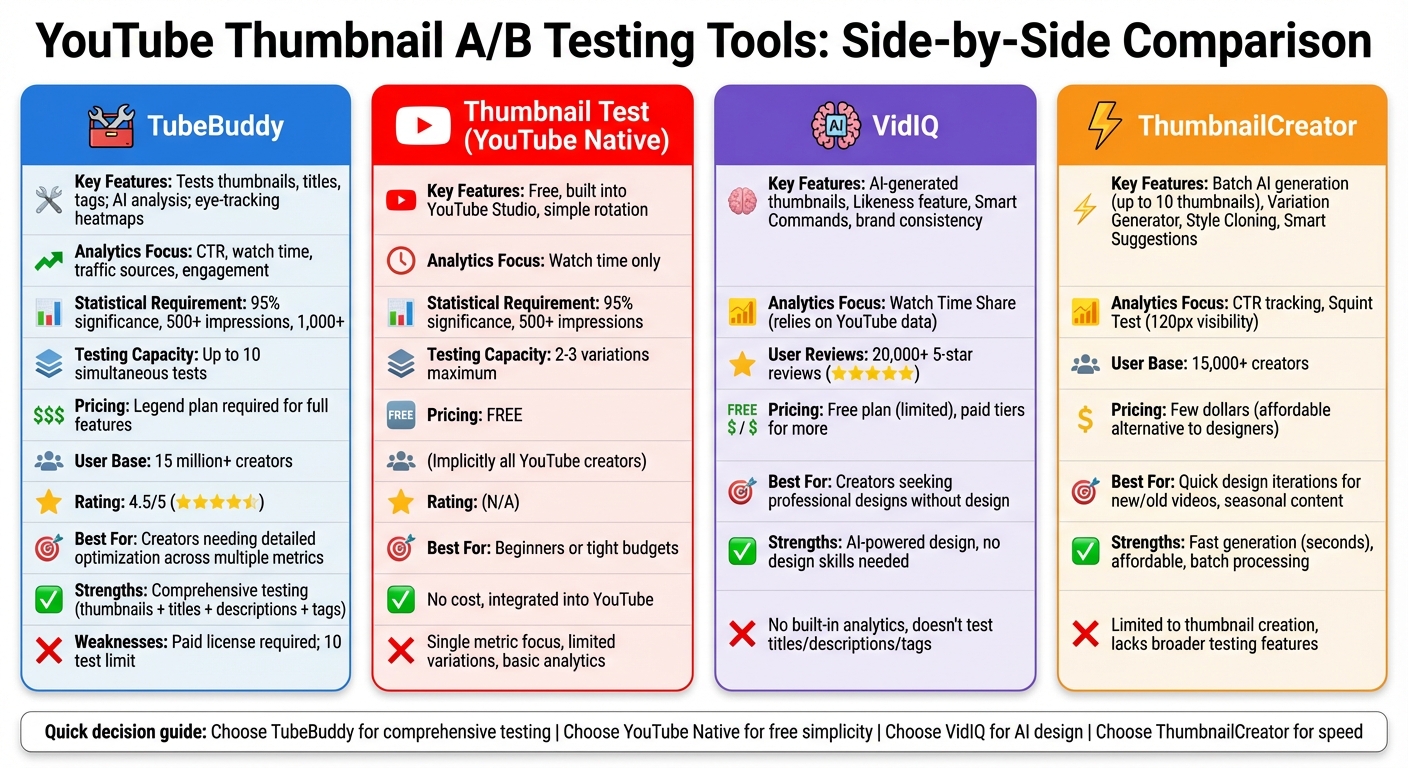
YouTube Thumbnail A/B Testing Tools Comparison Chart
A/B Test YOUR YouTube Thumbnails For FREE! [A/B Testing Tutorial]
sbb-itb-b59debf
Quick Comparison
| Tool | Key Features | Analytics Focus | Ideal For |
|---|---|---|---|
| TubeBuddy | Tests thumbnails, titles, tags; AI analysis | CTR, watch time, traffic | Creators needing detailed optimization using a thumbnail A/B testing guide |
| Thumbnail Test | Free, simple, built into YouTube Studio | Watch time | Beginners or those on a tight budget |
| VidIQ | AI-generated designs, brand consistency | Relies on YouTube data | Those seeking professional thumbnail designs |
| ThumbnailCreator | Batch AI generation, custom prompts | CTR | Quick design iterations for new/old videos |
Pick the tool that matches your goals by comparing thumbnail strategies - whether it’s detailed testing, fast design, or simplicity.
1. TubeBuddy
TubeBuddy is a powerful tool that goes beyond just testing thumbnails - it also evaluates titles, descriptions, and tags, all within a single platform. It automates thumbnail swaps daily at midnight PST, ensuring exposure is evenly distributed across different audience groups. Here's a closer look at its features, analytics, pricing, and who it's best suited for.
Features
TubeBuddy's AI Thumbnail Analyzer evaluates your designs before they're published and provides eye-tracking heatmaps, showing where viewers are likely to focus. This helps you strategically place text or faces in areas that grab attention. If you're on the Legend plan, you can upload up to 20 thumbnails per video to receive predictive performance scores. Beyond thumbnails, TubeBuddy lets you optimize for metrics like click-through rate (CTR), watch time, and overall engagement (likes, comments, and subscriptions). It also breaks performance data down by traffic source for deeper insights.
Analytics Capabilities
For reliable results, TubeBuddy requires 95% statistical significance. Each variation must hit 500 impressions, with tests continuing until they surpass 1,000 views. For instance, if your CTR improves from 4.38% to 5.2%, TubeBuddy highlights this as an 18.8% boost. You can also measure watch time per impression, helping identify situations where a thumbnail attracts clicks but doesn't retain viewers. The Legend plan allows users to run up to 10 A/B tests simultaneously across multiple videos.
Pricing
The full A/B testing functionality is available only on the Legend plan and higher. The Free and Pro plans provide limited access, supporting 5 thumbnails on the Free plan and 10 on the Pro plan for the Thumbnail Analyzer. Both plans include the Thumbnail Preview tool but lack automated thumbnail rotation. TubeBuddy has earned a 4.5/5 average rating from over 15 million YouTube creators.
Ideal Use Cases
The pricing tiers determine how much of TubeBuddy's potential creators can unlock. It's particularly useful for those looking to test more than just thumbnails. Whether you're fine-tuning title keywords or updating evergreen content with fresh visuals, TubeBuddy offers the tools for thorough A/B testing vs. gut feeling thumbnails. To avoid skewing results, it's advised to wait 2–3 weeks after publishing before starting a test, allowing YouTube's initial promotion phase to pass.
Creator Karin Carr shares, "TubeBuddy is like having a YouTube expert on staff who will give you advice and direction whenever you need it".
2. Thumbnail Test
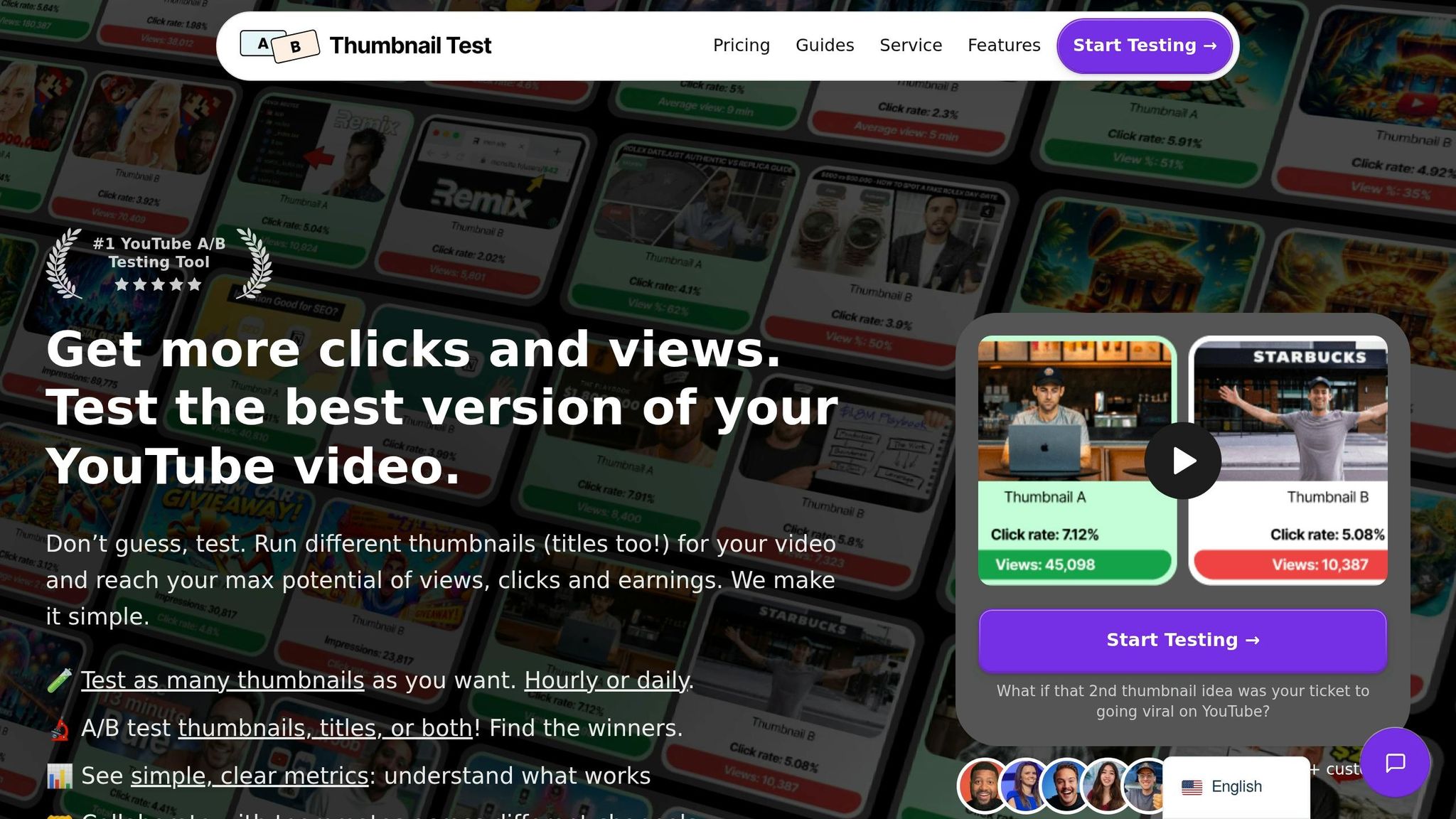
YouTube's built-in Test and Compare feature provides an easy way to test two or three thumbnail options without needing third-party tools. Unlike other platforms that analyze multiple metrics, this feature zeroes in on one key factor: watch time. It doesn’t allow testing for titles, descriptions, or tags, keeping the process simple and focused entirely on how thumbnails perform visually. Compared to TubeBuddy's broader approach, this tool narrows its focus to watch time alone, making it less complex to use.
Features
The tool works by automatically rotating your thumbnail variations and collecting data within YouTube Studio. All you need to do is upload your options, and YouTube will distribute them to viewers, ensuring fair exposure across different audience segments. Once enough data is collected, the tool identifies the thumbnail that generates the highest watch time.
Analytics Capabilities
To ensure the results are reliable, YouTube requires 95% statistical significance before confirming a winner, reducing the chances of random errors. Each thumbnail must also reach 500 impressions to provide dependable insights. Once a winner is determined, YouTube can automatically replace the lower-performing thumbnail with the better one. However, the analytics are fairly basic and focus only on watch time, offering less detailed insights compared to third-party tools.
Ideal Use Cases
This feature is perfect for creators who want a free, straightforward way to test thumbnails without getting bogged down by too many metrics. If your main goal is to improve watch time rather than click-through rates or other engagement stats, especially when compared to thumbnail CTR benchmarks for your niche, this tool gets the job done. Its simplicity makes it great for beginners, but more advanced users looking for deeper analysis might find the single-metric focus and shorter testing window somewhat limiting.
3. VidIQ
VidIQ offers a different approach to YouTube thumbnail testing. Instead of using its own A/B testing engine, it provides an AI-powered thumbnail creation suite. This technology often draws from models like Stable Diffusion or Midjourney to produce high-quality imagery. This tool generates professional-quality thumbnails, which you can then test using YouTube's native "Test & Compare" feature. With over 20,000 5-star reviews, VidIQ is celebrated for helping users create polished designs without needing graphic design skills.
Features
VidIQ's AI Thumbnail Maker simplifies the process of creating engaging thumbnails. By analyzing your video content, it generates several design options tailored to your video. You can upload your video directly, allowing the AI to extract the most relevant visuals to craft thumbnails. The "Likeness" feature is particularly useful for maintaining brand consistency, as it ensures your face appears across different designs, boosting personal branding efforts.
Once the thumbnails are generated, the "Smart Commands" feature lets you tweak elements - whether that's erasing objects, adjusting colors, or refining specific details. VidIQ also encourages creators to test small changes, like varying facial expressions, shot angles, or color tones, rather than making drastic design shifts.
Analytics Capabilities
VidIQ emphasizes "Watch Time Share" as its key performance metric, aligning with YouTube's own priorities. For example, in August 2025, Lydia Sweatt, VidIQ's Blog Manager, tested three thumbnail designs for a video on AI advancements. The most effective thumbnail, which featured a simple AI robot image, captured a 59.7% share of total watch time.
However, VidIQ doesn't provide its own analytics dashboard for testing. Instead, it relies entirely on YouTube's internal data to identify the top-performing thumbnail. This reliance on YouTube's metrics makes it clear which creators will benefit most from VidIQ's tools.
Ideal Use Cases
VidIQ is ideal for creators who want AI-generated thumbnail options and are comfortable using YouTube's data for testing. Its free plan includes a limited number of thumbnail generations each month, while higher-tier plans unlock more options and advanced customization features. If you're looking for a quick, professional solution without needing design expertise, VidIQ is a solid choice. However, it doesn't support testing for titles, descriptions, or tags, which limits its functionality compared to platforms with more comprehensive testing tools.
4. ThumbnailCreator
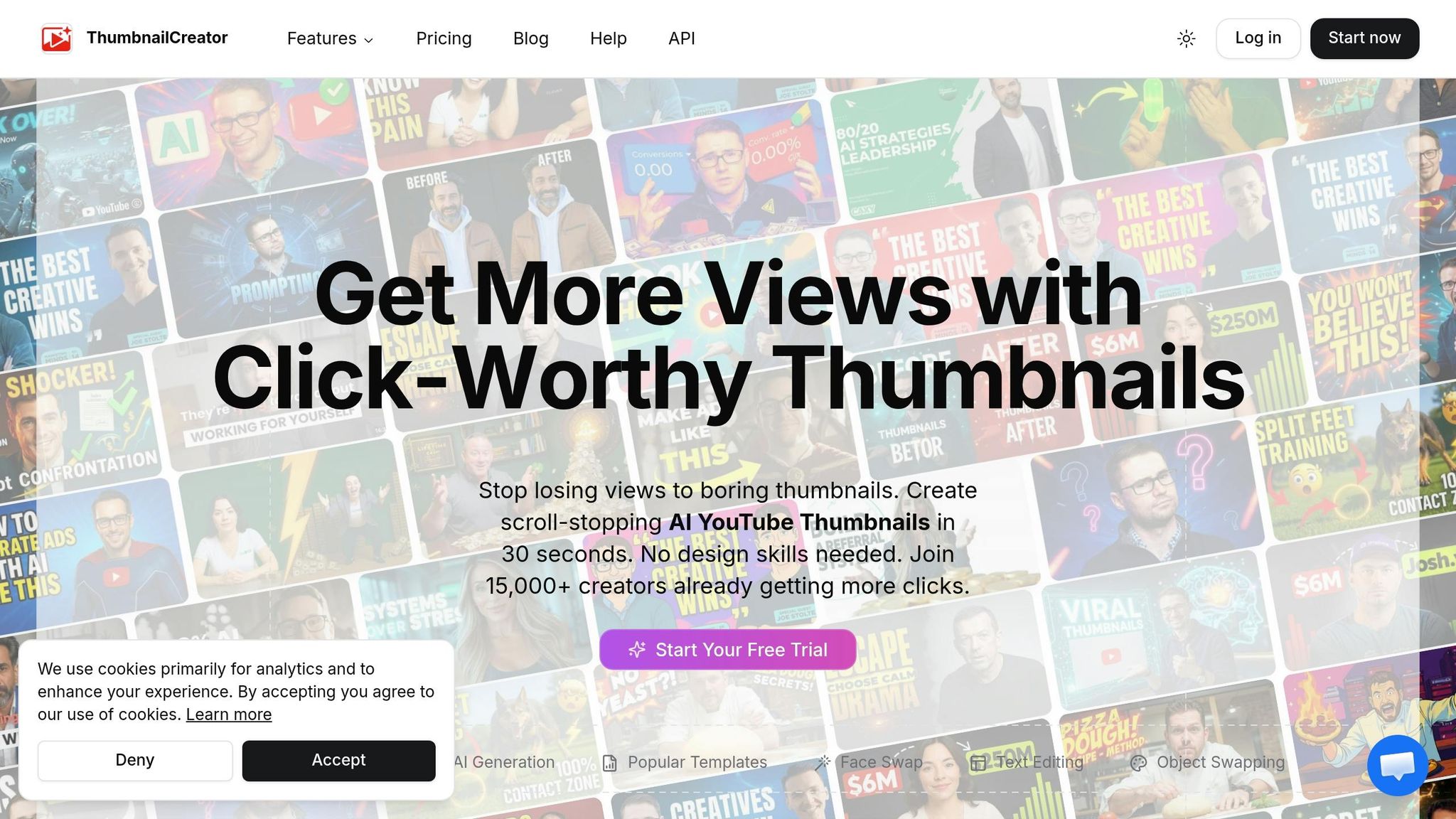
ThumbnailCreator is an AI-driven tool that can generate up to 10 test-ready thumbnails in seconds. It’s already trusted by over 15,000 creators to streamline their thumbnail creation process.
Features
The standout feature of ThumbnailCreator is its Variation Generator, which allows you to upload a base thumbnail or simply provide a YouTube video URL. From there, it creates multiple variations by experimenting with different compositions, color schemes, emotional expressions, and text styles. For those who want more control, the AI Editor lets you customize designs using text prompts, while the Style Cloning feature ensures your thumbnails stay consistent with your brand. Additionally, the Smart Suggestions tool analyzes your content and offers ideas for testing new elements. To make decision-making easier, the Side-by-Side Comparison tool displays all variations at once, so you can quickly evaluate your options.
On top of its creative tools, ThumbnailCreator provides insights to help you fine-tune your thumbnail strategy.
Analytics Capabilities
ThumbnailCreator includes tools that focus on improving click-through rates (CTR). It tracks performance data and helps you replace thumbnails that aren’t performing well based on real CTR stats. A visual comparison tool and an integrated feedback system make it easier to pinpoint which designs are working best. Plus, the Squint Test ensures your thumbnails remain clear and attention-grabbing, even at smaller sizes like 120px.
Ideal Use Cases
This tool shines when launching new videos, as testing multiple emotional hooks and designs can significantly boost initial click-through rates. It’s also a great option for breathing new life into older, underperforming content by offering updated thumbnail designs. And for creators managing seasonal content, ThumbnailCreator’s batch generation feature is perfect for producing holiday-themed variations or other timely updates.
Pricing
ThumbnailCreator is positioned as an affordable alternative to hiring professional designers. It costs just a few dollars, making it a cost-effective solution compared to the expense of custom thumbnail production. Specific pricing tiers are available on the website, but the real value lies in its ability to produce multiple thumbnail options in seconds rather than hours.
Strengths and Weaknesses
When it comes to A/B testing YouTube thumbnails, finding the right tool means weighing detailed metrics against the need for quick, iterative design. Here's a closer look at the strengths and limitations of two popular options.
TubeBuddy stands out with its ability to conduct A/B testing not just for thumbnails, but also for titles, descriptions, and tags. It provides detailed tracking of metrics like click-through rate (CTR), watch time, engagement, and traffic sources, all analyzed with a 95% statistical significance threshold. Plus, it breaks down traffic sources to reveal how different audiences react to your variations. However, the full range of features is locked behind a paid Legend license. Another downside? You can only run 10 tests at a time, and any metadata changes might temporarily impact your search rankings.
On the other hand, ThumbnailCreator focuses on quick and affordable thumbnail design. Using AI, it generates professional-looking, click-friendly thumbnails in no time. Its simplicity makes it ideal for rapid iterations, but it lacks the broader testing capabilities that tools like TubeBuddy offer, as it’s limited to thumbnail creation and tracking.
Here’s a side-by-side comparison of these tools:
| Tool | Key Strengths | Main Weaknesses |
|---|---|---|
| TubeBuddy | Detailed A/B testing for thumbnails, titles, descriptions, and tags; tracks CTR, watch time, engagement, and traffic sources. | Requires paid Legend license for full features; limited to 10 tests at a time; metadata changes can temporarily affect search rankings. |
| ThumbnailCreator | Quick, AI-driven thumbnail creation with an affordable design process. | Limited to thumbnail creation and tracking; lacks broader testing features. |
Conclusion
When selecting an A/B testing tool for YouTube thumbnails, consider factors like cost, speed, and the depth of analytics offered.
If you're watching your budget, YouTube's native "Test & Compare" tool is a solid choice. It's completely free and prioritizes watch time, which is a key metric for long-term success on the platform. However, it does have its limitations, such as allowing only three thumbnail variations at a time.
For creators who need more flexibility or faster testing cycles, premium tools bring added value. Thumbnail Test stands out with detailed analytics, hourly testing, and the ability to test unlimited variations. It also tracks over 20 metrics, offering deeper insights. For creators with fewer than 10,000 subscribers, the Basic plan is discounted to $29/month, making it more accessible. With a 4.9/5 rating from over 1,000 users and claims of driving more than 3 billion extra views, it’s a strong option for those aiming to maximize performance.
TubeBuddy, a trusted choice for over 15 million creators, offers a more comprehensive suite. Beyond thumbnails, it allows testing of titles, descriptions, and tags while tracking metrics like click-through rate (CTR), watch time, engagement, and traffic sources. However, full A/B testing requires a Legend license, and you can only run up to 10 tests at once.
If speed and design iteration are your priorities, ThumbnailCreator is worth considering. While it doesn’t provide built-in A/B testing analytics, its AI-powered tools quickly generate professional, eye-catching designs, making it easier to test and refine your thumbnails while avoiding common design mistakes as part of your overall strategy.
FAQs
How long should a thumbnail A/B test run?
A thumbnail A/B test should run for 7 to 14 days to gather enough data for dependable results. This duration allows for a more accurate understanding of how each thumbnail impacts metrics like click-through rates and audience engagement.
What’s the best metric to pick a winning thumbnail?
The click-through rate (CTR) is the go-to metric for identifying a winning thumbnail. It reflects how well your thumbnail grabs attention and convinces viewers to click on your video, serving as a dependable measure of its effectiveness and appeal.
When should I update thumbnails on older videos?
Refreshing thumbnails on older videos can be a smart way to boost click-through rates and engagement. Try out new thumbnail designs by running tests over a period of 7–14 days. Once the testing phase is complete, dive into the performance data to figure out which design resonated most with viewers. Small changes like this can make a big difference in how your content performs.